Afterlight on Android: touch controls and a Capacitor shell for a keyboard JRPG
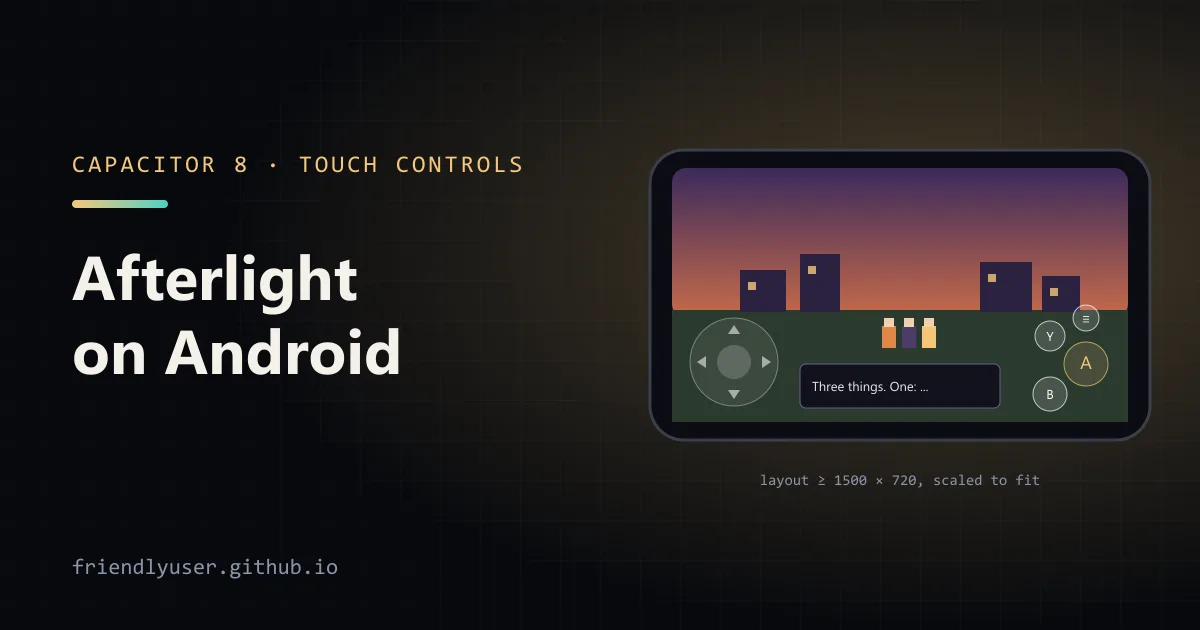
Afterlight is a 2D-HD JRPG that runs in the browser on three.js. It was built for a keyboard or gamepad and laid out for a desktop window, so a phone had no way to play it. The November 19 commits add an Android app: on-screen controls, a layout that fits a phone, and a Capacitor project that builds a Google Play bundle. The Play release is still in review; until it’s out, the game is playable in the browser.
- Play in the browser: friendlyuser.github.io/afterlight (the touch controls work in a phone browser too)
- Source: github.com/FriendlyUser/afterlight, with the Android notes in
docs/ANDROID.md
The shell: the web build inside Capacitor
Section titled “The shell: the web build inside Capacitor”The Android app is the same dist/ that GitHub Pages serves, packaged by Capacitor 8 with a small native project in android/. The package name is io.github.friendlyuser.afterlight, the target is API 36 (what Google Play requires for new apps) and the minimum is Android 7.0. Nearly all the work is on the web side. The native side is one 50-line activity and a few lines of Capacitor glue.
MainActivity.java sets three things a game needs from the device (trimmed, with the comments shortened):
public class MainActivity extends BridgeActivity { @Override protected void onCreate(Bundle savedInstanceState) { super.onCreate(savedInstanceState); // A WebView ignores the viewport meta tag unless the wide viewport is on. if (getBridge() != null && getBridge().getWebView() != null) { WebSettings settings = getBridge().getWebView().getSettings(); settings.setUseWideViewPort(true); settings.setLoadWithOverviewMode(true); } // Cutscenes run for minutes without a touch. getWindow().addFlags(WindowManager.LayoutParams.FLAG_KEEP_SCREEN_ON); hideSystemBars(); } // hideSystemBars() puts the window in immersive mode, and onWindowFocusChanged // calls it again after the player swipes the system bars in.}The rest lives in src/platform/Native.js, which only runs inside the app. The Android back button acts as Cancel, the same as Escape. On the title screen’s first menu there is nothing to cancel, so back minimises the app. When the page is hidden, audio is suspended and every held input is released, so music doesn’t keep playing from a pocket and the party doesn’t keep walking.
Touch controls that press the same keys
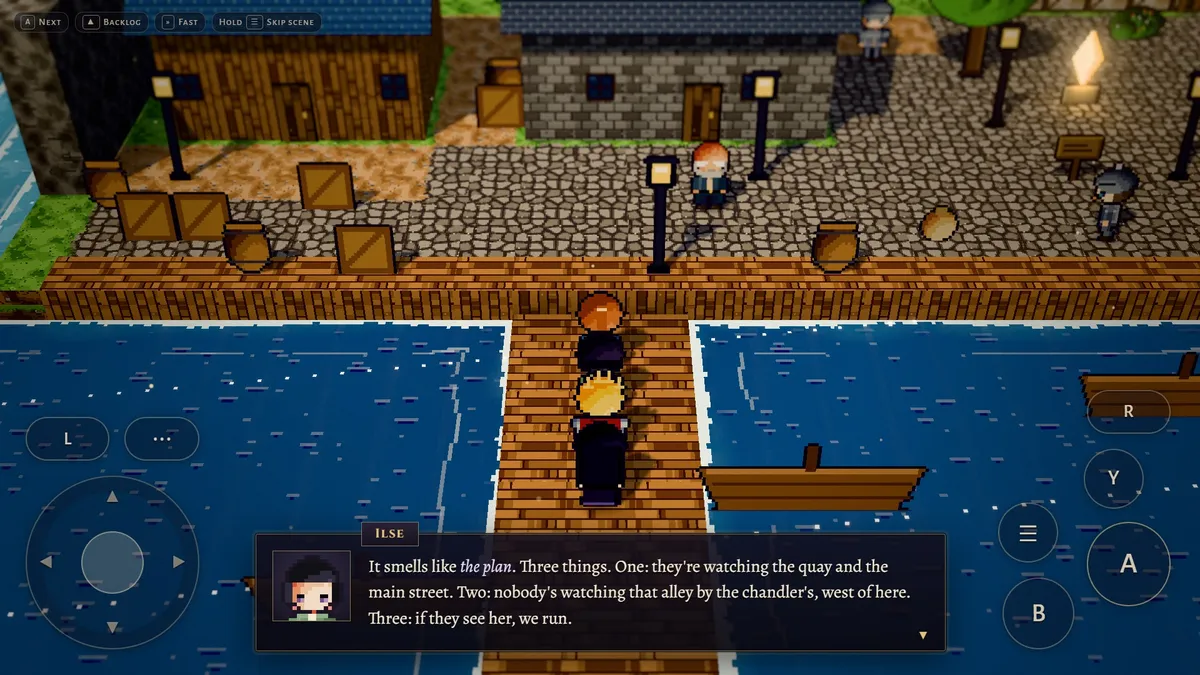
Section titled “Touch controls that press the same keys”The game already maps keys and gamepad buttons to actions such as confirm, cancel and menu. src/ui/TouchControls.js adds on-screen buttons that press those same actions. Every screen keeps working without knowing that touch exists:
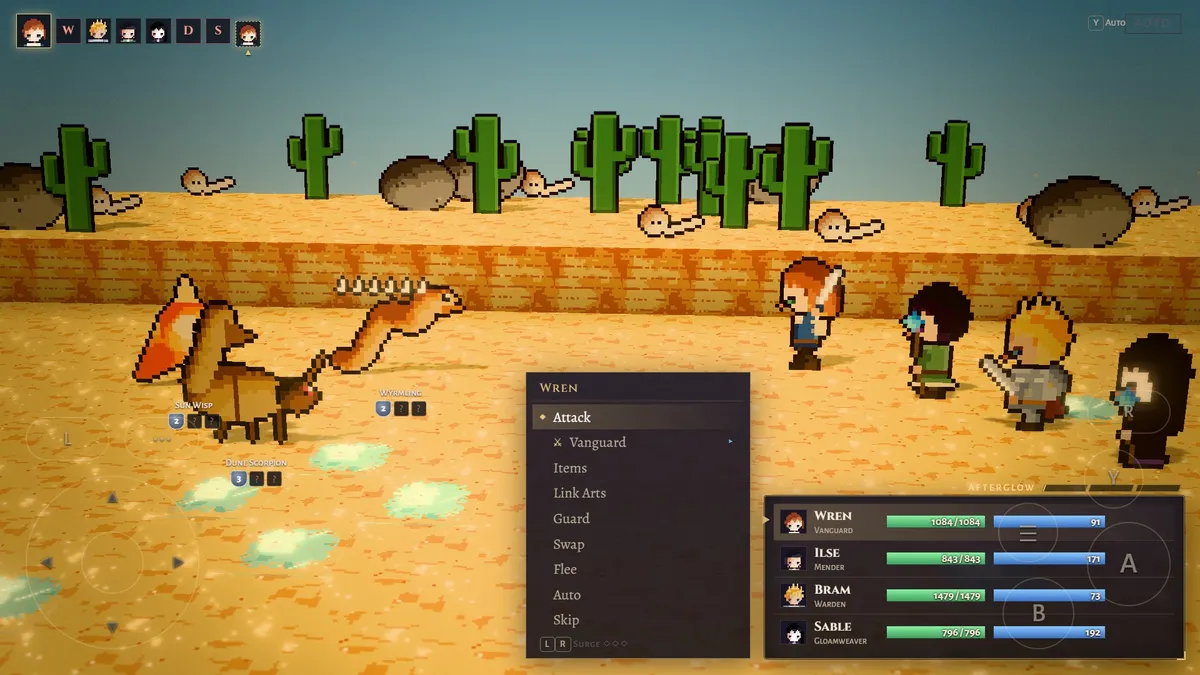
const BUTTONS = [ { action: 'confirm', cls: 'tc-a', title: 'Confirm · talk' }, { action: 'cancel', cls: 'tc-b', title: 'Cancel · back' }, { action: 'menu', cls: 'tc-menu', title: 'Menu · hold to skip a scene' }, { action: 'info', cls: 'tc-y', title: 'Auto-battle · optimize' }, { action: 'pageLeft', cls: 'tc-l', title: 'Previous · Surge down' }, { action: 'pageRight', cls: 'tc-r', title: 'Next · Surge up' },];The left thumb gets a D-pad, with a dead zone of 22% of its radius so a resting thumb doesn’t walk. The pad uses pointer capture, so a finger that slides off the control keeps steering. Actions used a few times an hour (Fast Mode, Map, Ride and a Run toggle) sit in a tray behind a ⋯ button instead of taking screen space. A tap anywhere advances dialogue, and the hints switch from key names to button names.
The controls appear on the first touch and step aside as soon as a key or gamepad is used. That works in any browser, not only the app.
Fitting a desktop layout on a phone
Section titled “Fitting a desktop layout on a phone”The UI is laid out in CSS pixels for a window of 1280 × 720 or larger. A phone held sideways is roughly 900 × 400 CSS pixels. Rather than redesign every panel, src/platform/Device.js asks the browser for a wider layout viewport and lets it scale the page down to the screen:
export const MIN_WIDTH = 1500; // wide enough that the thumb controls sit clear of the centred dialogue boxexport const MIN_HEIGHT = 720;
/** The layout width that gives this aspect ratio at least MIN_WIDTH x MIN_HEIGHT. */export function layoutWidth(aspect) {  return Math.max(MIN_WIDTH, Math.ceil((MIN_HEIGHT * aspect) / 8) * 8);}
On a touch-first device, fitViewport() rewrites the viewport meta tag to width=<layoutWidth>, user-scalable=no and recomputes it on resize and rotation. It ignores changes of 12 pixels or less, so rounding can’t start a loop of resizes. This is also why the activity turns on setUseWideViewPort: without it, the WebView ignores the meta tag.
Scaling the page breaks one assumption: devicePixelRatio no longer says how many screen pixels a CSS pixel covers. renderScale() works the canvas resolution out from the screen size instead, and stops at 1080 rows, because a phone GPU pays for every extra one.
Building and signing the bundle
Section titled “Building and signing the bundle”The release has two halves. A GitHub Actions workflow (.github/workflows/android.yml) runs only when started by hand. It runs npm run build, copies the result into the native project with npx cap sync android, and runs Gradle with Java 21:
./gradlew --no-daemon bundleRelease assembleDebugThe artifact holds an unsigned .aab for Play and a debug APK to install straight onto a phone. The version code defaults to the UTC date and hour (date -u +%y%m%d%H), so every build is higher than the last without anyone keeping count. Play refuses a version code it has already seen, so the answer to a failed upload is to build again.
tools/android/release.sh is the local half. It starts the workflow, waits for it, downloads the bundle and signs it with an upload key that lives outside every repository. The same key and scripts are shared by the other apps; Meridian was set up from the same template. That works because of Play App Signing: Google holds each app’s real signing key, and the upload key only proves a bundle came from its developer.
Known limits
Section titled “Known limits”docs/ANDROID.md lists what doesn’t work yet:
- Menus are D-pad driven. List rows can’t be tapped directly. The controls fade over a menu so it stays readable, but they still sit on top of it.
- Save export does nothing in the app. A WebView has no downloads folder. Importing a save works, and saves themselves are kept in the app’s storage, which Android’s device backup includes.
- Tablets on Android 16 ignore the landscape lock. The game runs in portrait, but it is laid out for landscape.
- Gamepads and keyboards on Android are untested. They should behave as they do in a browser.
Notes for a first Play release
Section titled “Notes for a first Play release”- New personal developer accounts need a closed test first. As
docs/ANDROID.mdnotes, a personal account created after November 2023 must run a closed test with at least 12 opted-in testers for 14 days before Google allows a production release. That takes longer than any of the code. - The package name is permanent. It’s fixed by the first bundle uploaded and can’t be changed afterwards. Renaming before then means changing
appIdincapacitor.config.json,applicationIdandnamespaceinandroid/app/build.gradle, and the Java package folder. - Test with Internal testing, not only the debug APK. An internal test installs exactly what players will get, through the Play Store.
© 2026 David Li · Home · Blog · RSS ·Classic site · Built with Astro, Starlight and three.js · Logos:Font Awesome Free (CC BY 4.0)