Building a command-line tool in Python with Typer
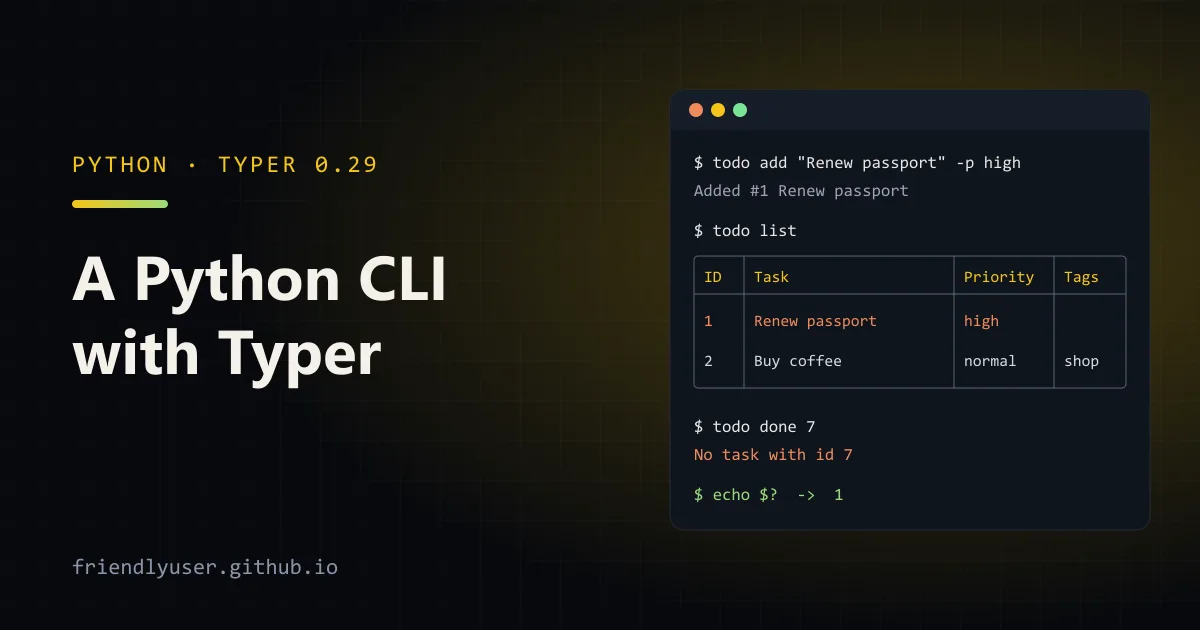
Typer builds a command-line interface from ordinary Python functions. You write a function with type hints, and Typer turns its parameters into arguments and options, generates --help, validates input, and prints errors. Compared with argparse, you write much less parsing code, and the help output is formatted with Rich out of the box.
This post builds a small to-do list CLI from scratch: commands, the difference between arguments and options, a subcommand group, Rich output, tests with CliRunner, and a pyproject.toml entry point so todo works as a real command. Examples were written against Typer 0.29.1 on Python 3.14.
Project layout
Section titled “Project layout”todo-cli/├── pyproject.toml├── src/│ └── todo_cli/│ ├── __init__.py│ └── main.py└── tests/ └── test_cli.pyThe pyproject.toml declares the dependency and, under [project.scripts], the command name:
[project]name = "todo-cli"version = "0.1.0"description = "A small to-do list on the command line"requires-python = ">=3.10"dependencies = ["typer>=0.29,<0.30"]
[project.scripts]todo = "todo_cli.main:app"
[dependency-groups]dev = ["pytest>=8"]
[build-system]requires = ["hatchling"]build-backend = "hatchling.build"
todo = "todo_cli.main:app" tells the installer to create a todo executable that calls the app object. A typer.Typer instance is callable, so that’s all it needs. Typer is still on 0.x and its minor releases have included breaking changes, so I pin below the next minor.
The app
Section titled “The app”Here is the whole CLI. It stores tasks in a JSON file, which keeps the example about Typer rather than storage.
import jsonfrom enum import Enumfrom pathlib import Pathfrom typing import Annotated
import typerfrom rich.console import Consolefrom rich.table import Table
app = typer.Typer(help="A small to-do list stored in a JSON file.", no_args_is_help=True)tags_app = typer.Typer(help="Manage tags on tasks.")app.add_typer(tags_app, name="tags")
console = Console()err = Console(stderr=True)

class Priority(str, Enum):    low = "low"    normal = "normal"    high = "high"

DbOption = Annotated[    Path,    typer.Option("--db", envvar="TODO_DB", help="Where tasks are stored."),]

def load(db: Path) -> list[dict]:    return json.loads(db.read_text()) if db.exists() else []

def save(db: Path, tasks: list[dict]) -> None:    db.write_text(json.dumps(tasks, indent=2))

@app.command()def add(    title: Annotated[str, typer.Argument(help="What needs doing.")],    priority: Annotated[Priority, typer.Option("--priority", "-p")] = Priority.normal,    db: DbOption = Path("todo.json"),) -> None:    """Add a task."""    tasks = load(db)    task_id = max((t["id"] for t in tasks), default=0) + 1    tasks.append({"id": task_id, "title": title, "priority": priority.value, "done": False, "tags": []})    save(db, tasks)    console.print(f"Added [bold]#{task_id}[/bold] {title}")

@app.command("list")def list_tasks(    show_all: Annotated[bool, typer.Option("--all", "-a", help="Include finished tasks.")] = False,    db: DbOption = Path("todo.json"),) -> None:    """Show open tasks."""    tasks = [t for t in load(db) if show_all or not t["done"]]    if not tasks:        console.print("Nothing to do.")        raise typer.Exit()    table = Table("ID", "Task", "Priority", "Tags")    for t in tasks:        style = "dim strike" if t["done"] else ("bold red" if t["priority"] == "high" else "")        table.add_row(str(t["id"]), t["title"], t["priority"], ", ".join(t["tags"]), style=style)    console.print(table)

@app.command()def done(    task_ids: Annotated[list[int], typer.Argument(help="One or more task IDs.")],    db: DbOption = Path("todo.json"),) -> None:    """Mark tasks as finished."""    tasks = load(db)    known = {t["id"]: t for t in tasks}    missing = [i for i in task_ids if i not in known]    if missing:        err.print(f"[red]No task with id {', '.join(map(str, missing))}[/red]")        raise typer.Exit(code=1)    for i in task_ids:        known[i]["done"] = True    save(db, tasks)    console.print(f"Finished {len(task_ids)} task(s).")

@tags_app.command("add")def tags_add(    task_id: int,    tags: list[str],    db: DbOption = Path("todo.json"),) -> None:    """Add tags to a task."""    tasks = load(db)    for t in tasks:        if t["id"] == task_id:            t["tags"] = sorted(set(t["tags"]) | set(tags))            save(db, tasks)            console.print(f"#{task_id} tags: {', '.join(t['tags'])}")            return    err.print(f"[red]No task with id {task_id}[/red]")    raise typer.Exit(code=1)

if __name__ == "__main__":    app()
Commands
Section titled “Commands”Each function decorated with @app.command() becomes a subcommand named after the function. list is a Python builtin, so the function is called list_tasks and the name is passed explicitly with @app.command("list"). The function’s docstring becomes the command’s help text.
no_args_is_help=True on the app makes a bare todo print help instead of an error.
Arguments vs options, with Annotated
Section titled “Arguments vs options, with Annotated”The two kinds of parameters behave differently on the command line:
- Arguments are positional:
todo add "Buy coffee". They’re required unless you give them a default. - Options are named:
--priority highor-p high. They’re optional when they have a default.
Without any annotation, Typer decides by the default: a parameter with no default is an argument, and one with a default is an option. tags_add(task_id: int, tags: list[str], ...) relies on that: both are positional arguments, and list[str] takes any number of values (todo tags add 2 errands shop).
For anything beyond the defaults, use typing.Annotated with typer.Argument(...) or typer.Option(...) as the metadata. That’s the style the Typer docs recommend, and it keeps the real default value as the Python default, so the function is still callable normally from other code or tests.
A few things the example uses:
- Enums become choices.
Priorityrestricts--prioritytolow,normalorhigh, and the help lists them. - Booleans become flags.
show_all: bool = Falsewithtyper.Option("--all", "-a")gives a flag that takes no value. list[int]arguments accept several values, each converted toint.- Environment variables.
envvar="TODO_DB"lets the option come from the environment. The order is: command line first, then the env var, then the default. - Reusable parameter types.
DbOptionis anAnnotatedalias, so every command gets the same--dboption without repeating it.
Here’s the help Typer generates for add:
$ todo add --help
 Usage: todo add [OPTIONS] {title}
 Add a task.
┌─ Arguments ───────────────────────────────────────────────────────────────┐│ *    title      <str>  What needs doing. [required]                       │└───────────────────────────────────────────────────────────────────────────┘┌─ Options ─────────────────────────────────────────────────────────────────┐│ --priority  -p      <low|normal|high>  [default: normal]                  ││ --db                <path>             Where tasks are stored.            ││                                        [env var: TODO_DB]                 ││                                        [default: todo.json]               ││ --help              <bool>             Show this message and exit.        │└───────────────────────────────────────────────────────────────────────────┘
Invalid input is rejected before your function runs, with exit code 2:
$ todo add "Ship it" -p urgentUsage: todo add [OPTIONS] {title}Try 'todo add --help' for help.┌─ Error ───────────────────────────────────────────────────────────────────┐│ Invalid value for '--priority' / '-p': Value error, 'urgent' is not one ││ of 'low', 'normal', 'high'. │└───────────────────────────────────────────────────────────────────────────┘The “Value error” wording comes from Pydantic, which does the validation since Typer 0.29.
Subcommands
Section titled “Subcommands”tags_app is a second Typer instance, attached with app.add_typer(tags_app, name="tags"). Its commands live under todo tags ..., and todo tags --help lists them. For a bigger tool, put each group in its own module (users.py, config.py) with its own Typer(), and assemble them in main.py. Groups can nest as deep as you like.
If you need code to run before every command in a group, such as loading config or setting up logging, add a callback with @app.callback(). Its parameters become options on the group itself (todo --verbose list).
Rich output and exit codes
Section titled “Rich output and exit codes”Typer requires Rich, so you can use it for output without another dependency. The example prints a rich.table.Table:
$ todo list┌────┬────────────────┬──────────┬──────┐│ ID │ Task │ Priority │ Tags │├────┼────────────────┼──────────┼──────┤│ 1 │ Renew passport │ high │ ││ 2 │ Buy coffee │ normal │ │└────┴────────────────┴──────────┴──────┘In a colour terminal, the high-priority row is bold red and finished tasks are struck through. Rich detects when output is piped and drops the styling, and it respects the NO_COLOR environment variable.
Two habits make a CLI pleasant in scripts:
- Errors go to stderr.
err = Console(stderr=True)keeps error messages out of anything piped from stdout. - Exit codes mean something.
raise typer.Exit(code=1)stops with a non-zero status, sotodo done 7 && echo okbehaves correctly.typer.Exit()with no code is a clean early return with status 0. Typer uses 2 for usage errors.
Testing with CliRunner
Section titled “Testing with CliRunner”typer.testing.CliRunner invokes the app in-process and captures output, the exit code, and any exception. You don’t need a subprocess or an installed package:
from pathlib import Path
from typer.testing import CliRunner
from todo_cli.main import app
runner = CliRunner()

def test_add_list_done(tmp_path: Path) -> None:    db = tmp_path / "todo.json"    env = {"TODO_DB": str(db)}
    result = runner.invoke(app, ["add", "Write the post", "-p", "high"], env=env)    assert result.exit_code == 0    assert "Added #1" in result.output
    result = runner.invoke(app, ["list"], env=env)    assert "Write the post" in result.output
    result = runner.invoke(app, ["done", "1"], env=env)    assert result.exit_code == 0
    result = runner.invoke(app, ["list"], env=env)    assert "Nothing to do." in result.output

def test_unknown_id_fails(tmp_path: Path) -> None:    result = runner.invoke(app, ["done", "42", "--db", str(tmp_path / "t.json")])    assert result.exit_code == 1    assert "No task with id 42" in result.stderr

def test_bad_priority_is_a_usage_error(tmp_path: Path) -> None: result = runner.invoke(app, ["add", "x", "-p", "urgent", "--db", str(tmp_path / "t.json")]) assert result.exit_code == 2uv run pytest -q... [100%]3 passed in 0.66sPoints worth knowing:
env=sets environment variables for that invocation only, which is a tidy way to point every command at a temp file.result.outputholds what the command printed;result.stderrholds stderr separately. Very old Typer versions neededCliRunner(mix_stderr=False)for that; current ones don’t accept the parameter.- If the command raised an unexpected exception,
result.exceptionholds it andexit_codeis 1. Checkresult.exceptionwhen a test fails mysteriously. - Asserting on Rich-formatted text is brittle if you check exact table borders. Check for the content instead, as above.
Installing it as a command
Section titled “Installing it as a command”With the [project.scripts] entry in place, any standard installer creates the todo executable:
# During development, inside the project:uv run todo list
# Install it for your user as a standalone tool:uv tool install .# or: pipx install .
# Build a wheel to share:uv build    # writes dist/todo_cli-0.1.0-py3-none-any.whl
uv tool install and pipx put each tool in its own virtual environment and add the command to your PATH, so the CLI’s dependencies never clash with your projects.
Typer also gives you shell completion for free: run todo --install-completion once and Bash, Zsh, Fish or PowerShell will complete commands and option names.
Gotchas
Section titled “Gotchas”- Don’t name a command function
list,helportype. You’ll shadow a builtin; name the function something else and pass the command name to@app.command("list"). - Single-command apps behave differently. If an app has exactly one command, Typer makes it the whole CLI (no subcommand name). Add a callback or a second command if you want
tool cmdstyle from the start. - Mutable defaults. Use
list[str] | None = Nonerather than= []for optional list options, as you would in any Python function. - Startup time. Importing Typer, Rich and Pydantic isn’t free. For a tool that runs thousands of times in a loop, measure it, and import heavy dependencies inside the commands that need them.
- When I’d skip Typer: a five-line script with one flag is fine with
argparsefrom the standard library and no dependencies.
Further reading
Section titled “Further reading”- Typer documentation, especially “Commands” and “CLI Arguments” / “CLI Options”
- Typer release notes, worth reading before upgrading a minor version
- Rich documentation
- Python Packaging User Guide: entry points
© 2026 David Li · Home · Blog · RSS ·Classic site · Built with Astro, Starlight and three.js · Logos:Font Awesome Free (CC BY 4.0)