Validating DataFrames with Pandera schemas
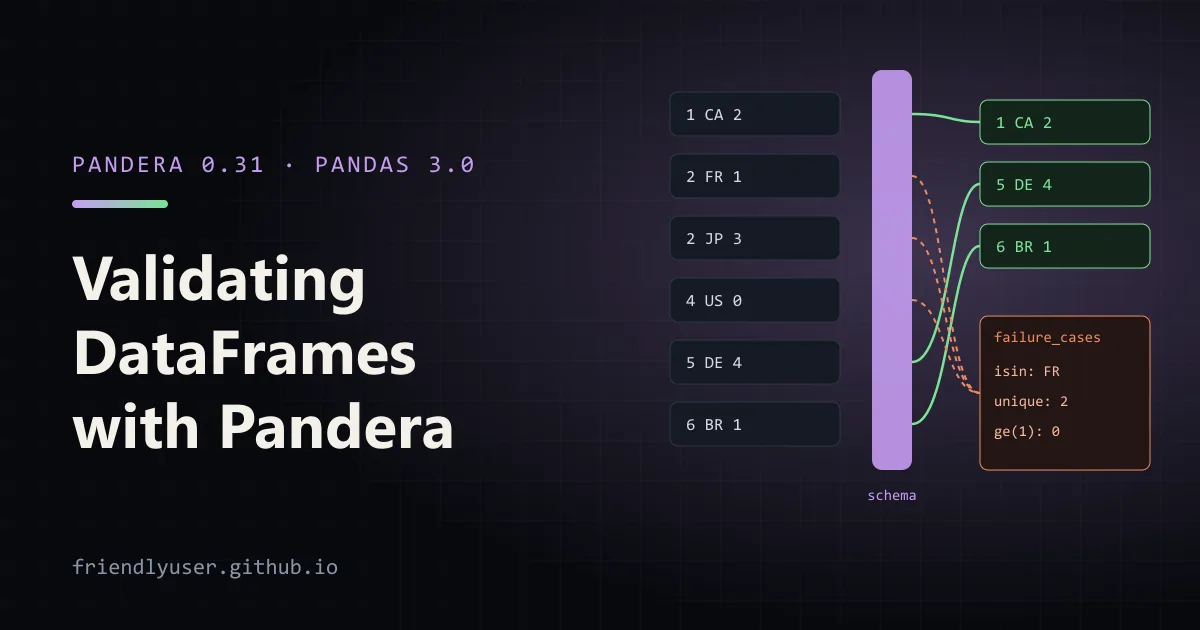
Pandera lets you describe what a DataFrame should look like (columns, dtypes, value ranges, uniqueness, relationships between columns) and check real data against that description. When a CSV export changes shape or an upstream job starts producing nulls, you get a clear error at the point the data enters your code, instead of a wrong number three steps later.
This post defines a schema as a DataFrameModel class, uses built-in and custom checks, coerces types from raw strings, collects every failure into one report with lazy validation, and validates at the boundaries of a pipeline. Examples use Pandera 0.31 with pandas 3.0 on Python 3.13.
pip install "pandera[pandas]"A schema as a class
Section titled “A schema as a class”A DataFrameModel reads like a dataclass: one annotated attribute per column, with pa.Field for the checks.
import pandas as pdimport pandera.pandas as pafrom pandera.typing import Series

class Orders(pa.DataFrameModel):    order_id: Series[int] = pa.Field(unique=True, ge=1)    customer: Series[str] = pa.Field(str_length={"min_value": 1, "max_value": 40})    country: Series[str] = pa.Field(isin=["CA", "US", "DE", "JP", "BR"])    quantity: Series[int] = pa.Field(ge=1, le=100)    unit_price: Series[float] = pa.Field(gt=0)    ordered_at: Series[pd.Timestamp]    coupon: Series[str] = pa.Field(nullable=True)
    class Config:        strict = True   # fail on columns the schema doesn't list        coerce = True   # cast each column to its declared dtype before checking
    @pa.check("unit_price")    def at_most_two_decimals(cls, s: Series[float]) -> Series[bool]:        return (s * 100).round(6) % 1 == 0
    @pa.dataframe_check    def big_orders_have_no_coupon(cls, df: pd.DataFrame) -> Series[bool]:        return ~((df["quantity"] * df["unit_price"] > 1000) & df["coupon"].notna())
What each part does:
- The annotation sets the dtype.
Series[int]meansint64,Series[str]a string column,Series[pd.Timestamp]datetime64[ns]. pa.Fieldholds built-in checks. The ones used here:ge,gt,lefor ranges,isinfor allowed values,str_length, andunique. There are alsolt,notin,str_matchesandstr_startswith, among others.- Columns are non-nullable by default. A single
NaNorNoneinorder_idfails validation. Mark optional columns withnullable=True. @pa.check("col")adds a custom check on one column. It gets the Series and returns a boolean Series (one result per row) or a single bool.@pa.dataframe_checkgets the whole frame, for rules that involve several columns.Configsets schema-wide options.strict = Truerejects extra columns (usestrict = "filter"to drop them instead), andcoerce = Trueconverts types before running checks.
Validating and coercing
Section titled “Validating and coercing”Call Orders.validate(df). On success it returns the validated DataFrame; with coerce = True, that’s the converted copy, so assign the result.
Coercion is what makes Pandera useful at the edge of a pipeline, where everything arrives as text:
import pandas as pdfrom orders_schema import Orders
raw = pd.DataFrame({    "order_id": ["1", "2", "3"],    "customer": ["ada", "grace", "linus"],    "country": ["CA", "US", "JP"],    "quantity": ["2", "1", "3"],    "unit_price": ["79.00", "249.00", "9.50"],    "ordered_at": ["2026-05-01 10:00", "2026-05-02 11:30", "2026-05-03 09:15"],    "coupon": [None, "SPRING", None],})clean = Orders.validate(raw)print(clean.dtypes)
order_id int64customer strcountry strquantity int64unit_price float64ordered_at datetime64[ns]coupon strdtype: object(str is pandas 3.0’s default string dtype.) If a value can’t be converted, such as "two" in quantity, validation fails with a coercion error that names the column and the offending values.
Lazy validation: every problem at once
Section titled “Lazy validation: every problem at once”By default, validate stops at the first failure. That’s fine in a test, but annoying when you’re fixing a data file and have to re-run once per problem. Here’s a frame with six different issues:
bad = pd.DataFrame({ "order_id": [1, 2, 2, 4], "customer": ["ada", "", "linus", "grace"], "country": ["CA", "FR", "JP", "US"], "quantity": [2, 0, 3, 5], "unit_price": [79.0, 249.0, 9.999, 250.0], "ordered_at": pd.to_datetime(["2026-05-01", "2026-05-02", "not a date", "2026-05-04"], errors="coerce"), "coupon": [None, None, None, "BIG"],})Without lazy, you only hear about the first one:
series 'order_id' contains duplicate values:1 22 2Name: order_id, dtype: int64With lazy=True, Pandera runs every check and raises a single SchemaErrors (plural). Its failure_cases attribute is a DataFrame with one row per failing value:
import pandera.pandas as pa
try:    Orders.validate(bad, lazy=True)except pa.errors.SchemaErrors as e:    print(e.failure_cases[["schema_context", "column", "check", "failure_case", "index"]])
schema_context column check failure_case index7 DataFrameSchema order_id big_orders_have_no_coupon 4 38 DataFrameSchema customer big_orders_have_no_coupon grace 39 DataFrameSchema country big_orders_have_no_coupon US 310 DataFrameSchema quantity big_orders_have_no_coupon 5 311 DataFrameSchema unit_price big_orders_have_no_coupon 250.0 312 DataFrameSchema ordered_at big_orders_have_no_coupon 2026-05-04 00:00:00 313 DataFrameSchema coupon big_orders_have_no_coupon BIG 30 Column order_id field_uniqueness 2 11 Column order_id field_uniqueness 2 22 Column customer str_length(1, 40) 13 Column country isin(['CA', 'US', 'DE', 'JP', 'BR']) FR 14 Column quantity greater_than_or_equal_to(1) 0 15 Column unit_price at_most_two_decimals 9.999 26 Column ordered_at not_nullable NaT 2The index column points to the failing row. A DataFrame-level check reports every column of each failing row, which is why row 3 appears seven times. Because failure_cases is an ordinary DataFrame, you can write it to a file, group it by check for a summary, or post it to a channel when a nightly job fails. str(e) also gives a readable summary grouped by column and check.
Validating at pipeline boundaries
Section titled “Validating at pipeline boundaries”The most useful place for a schema is where data crosses a boundary: when it’s loaded from outside, and when a function hands it to the next stage. The @pa.check_types decorator validates arguments and return values annotated with DataFrame[Model]:
import pandas as pdimport pandera.pandas as pafrom pandera.typing import DataFrame, Series
from orders_schema import Orders

class DailyRevenue(pa.DataFrameModel):    day: Series[pd.Timestamp] = pa.Field(unique=True)    revenue: Series[float] = pa.Field(ge=0)    orders: Series[int] = pa.Field(ge=1)

@pa.check_types(lazy=True)def daily_revenue(orders: DataFrame[Orders]) -> DataFrame[DailyRevenue]:    return (        orders.assign(day=orders["ordered_at"].dt.normalize(),                      revenue=orders["quantity"] * orders["unit_price"])        .groupby("day", as_index=False)        .agg(revenue=("revenue", "sum"), orders=("order_id", "count"))    )

raw = pd.read_csv("orders.csv", dtype=str)print(daily_revenue(raw))
With this orders.csv:
order_id,customer,country,quantity,unit_price,ordered_at,coupon1,ada,CA,2,79.00,2026-05-01 10:00,2,grace,US,1,249.00,2026-05-01 11:30,SPRING3,linus,JP,3,9.50,2026-05-02 09:15,4,ada,CA,1,25.00,2026-05-02 16:40,the output is:
day revenue orders0 2026-05-01 407.0 21 2026-05-02 53.5 2Reading with dtype=str and letting the schema coerce means type handling lives in one place, the schema, rather than being spread across read_csv arguments. The function body can rely on ordered_at being a datetime, because the input was validated (and coerced) before the function ran. If a later change to the function breaks its output contract, say a negative revenue, the decorator catches it on the way out.
The annotations double as documentation: anyone reading daily_revenue sees exactly which columns it expects and returns.
Dropping bad rows instead of failing
Section titled “Dropping bad rows instead of failing”Sometimes the right response to a bad row is to quarantine it and carry on. drop_invalid_rows = True in Config does that, combined with lazy=True:
class LenientOrders(Orders):    class Config:        drop_invalid_rows = True
kept = LenientOrders.validate(raw.assign(quantity=["2", "0", "3", "1"]), lazy=True)print(len(raw), "->", len(kept))   # 4 -> 3
The subclass inherits all columns, checks, and the parent’s Config settings. If you do this, also log what you dropped (run a lazy validation with the strict schema and save failure_cases), or bad data disappears silently.
Schemas in tests
Section titled “Schemas in tests”Schemas are also good test assertions. In a unit test for a transformation, DailyRevenue.validate(result) checks structure and invariants in one line, so the test can focus on the specific values that matter. Pandera can also generate example data from a schema for property-based tests with Hypothesis (Orders.example(size=5), which needs the pandera[strategies] extra).
Gotchas
Section titled “Gotchas”- Use
pandera.pandas, not the top-level imports, for new code. Older tutorials usepandera as pathroughout. coercechanges your data.validatereturns a converted copy; if you ignore the return value, you keep the unconverted frame.- Non-nullable is the default. The first real-world file with an empty cell will fail a column you forgot to mark
nullable=True. - Index checks exist too. If your frames carry a meaningful index, declare it with
pandera.typing.Indexin the model; otherwise Pandera doesn’t check it. - Cost. Validation runs vectorized pandas operations, so it’s cheap compared with most transformations, but uniqueness and custom checks on tens of millions of rows aren’t free. Validate at boundaries, not after every step.
- Pandera isn’t a data catalogue or monitoring tool. It checks one frame at a time in your code. For tracking data quality across many tables over time, that’s a different kind of tool.
Further reading
Section titled “Further reading”© 2026 David Li · Home · Blog · RSS ·Classic site · Built with Astro, Starlight and three.js · Logos:Font Awesome Free (CC BY 4.0)