Semantic search in Postgres with pgvector
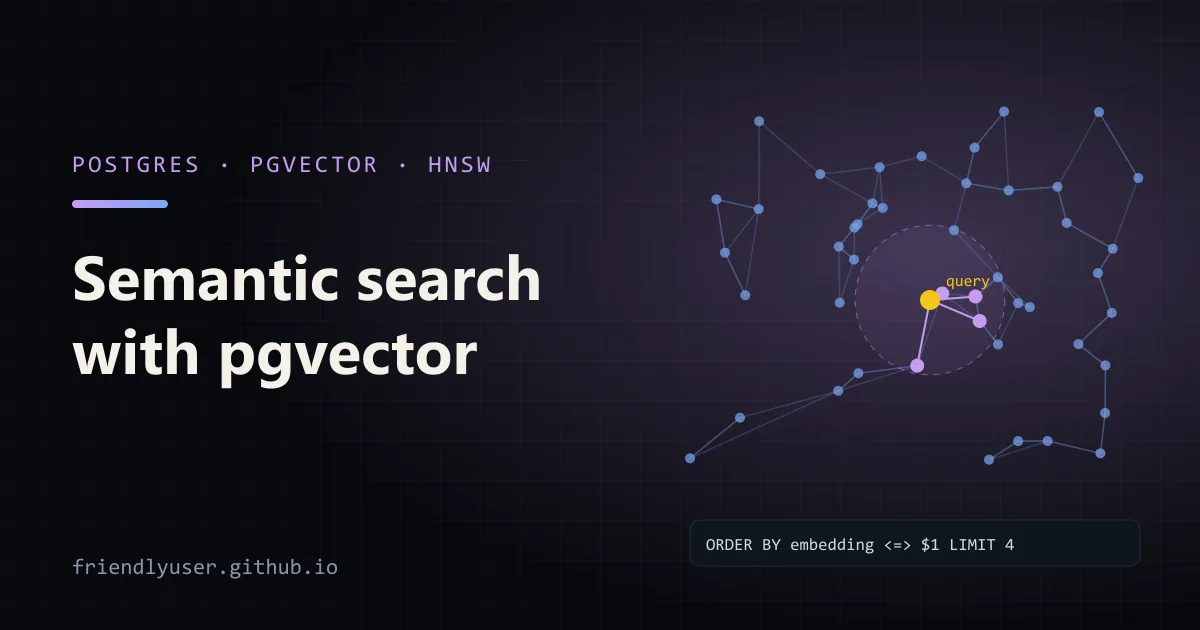
pgvector is a Postgres extension that adds a vector column type, distance operators and approximate nearest-neighbour indexes. With it, semantic search (find the rows whose meaning is closest to a query) is a SQL query against the database you already run, next to the rows it describes, with the same transactions, backups and permissions.
A separate vector database is worth it at very large scale or for features Postgres doesn’t have. For a search box over a few million documents, or the retrieval step of a RAG app, pgvector is usually enough, and it saves you from keeping two stores in sync. This post covers the column type, the operators, a Python example with sentence-transformers, HNSW and IVFFlat indexes, and the filtering problem that catches most people. Examples were written against pgvector 0.8 and Python 3.12.
A local Postgres with pgvector
Section titled “A local Postgres with pgvector”The pgvector project publishes Docker images with the extension already built:
docker run --name pgvector -e POSTGRES_PASSWORD=secret -p 5432:5432 -d pgvector/pgvector:pg17Most managed Postgres services (Amazon RDS, Cloud SQL, Azure Database for PostgreSQL, Supabase, Neon) also offer pgvector; you only need to enable it in each database:
CREATE EXTENSION IF NOT EXISTS vector;Columns and operators
Section titled “Columns and operators”A vector(n) column holds n single-precision floats. n must match your embedding model’s output size: 384 for all-MiniLM-L6-v2, 1536 for OpenAI’s text-embedding-3-small, and so on. Inserting a vector of the wrong length is an error, which is a useful guard against mixing models.
CREATE TABLE items (id bigserial PRIMARY KEY, body text, embedding vector(3));INSERT INTO items (body, embedding) VALUES  ('a', '[1,0,0]'), ('b', '[0.9,0.1,0]'), ('c', '[0,1,0]'), ('d', '[-1,0,0]');
SELECT body, embedding <=> '[1,0,0]' AS distanceFROM itemsORDER BY embedding <=> '[1,0,0]'LIMIT 3;
pgvector’s distance operators:
| Operator | Distance | Index operator class |
|---|---|---|
<-> | Euclidean (L2) | vector_l2_ops |
<=> | Cosine distance (1 - cosine similarity) | vector_cosine_ops |
<#> | Negative inner product | vector_ip_ops |
<+> | Taxicab (L1) | vector_l1_ops |
All of them return a distance, so smaller is closer and you always ORDER BY ... ASC. <#> returns the negative inner product for that reason: for '[1,0,0]' against the rows above it gives -1 for a and -0.9 for b. For cosine similarity, compute 1 - (embedding <=> query).
Which one to use depends on the embedding model; its documentation says what it was trained for. Most text embedding models are meant for cosine similarity. If you normalise vectors to length 1 (many models do, or you can ask for it), cosine distance, L2 distance and inner product all rank results in the same order, and inner product is the cheapest to compute.
Python: embedding and searching
Section titled “Python: embedding and searching”This script stores a few short documents with their embeddings and runs two searches, one of them filtered by a column. It uses psycopg 3, the pgvector Python package (which teaches psycopg to send numpy arrays as vectors), and sentence-transformers.
pip install "psycopg[binary]" pgvector sentence-transformers# semantic_search.py: store sentence embeddings in Postgres and search them with pgvectorimport osimport sys
import psycopgfrom pgvector.psycopg import register_vectorfrom sentence_transformers import SentenceTransformer
DSN = os.environ.get("DATABASE_URL", "postgresql://postgres:secret@localhost:5432/postgres")model = SentenceTransformer("sentence-transformers/all-MiniLM-L6-v2") # 384 dimensions
DOCS = [ ("faq", "To reset your password, use the 'Forgot password' link on the sign-in page."), ("faq", "Invoices are emailed on the first business day of each month."), ("faq", "You can export all of your data as a ZIP file from Settings > Account."), ("blog", "We moved our background jobs from cron to a queue with retries."), ("blog", "How we cut our cloud bill by turning off idle staging databases at night."), ("blog", "A tour of the new dashboard: saved filters, dark mode and keyboard shortcuts."), ("docs", "API tokens expire after 90 days. Create a new one under Settings > Tokens."), ("docs", "Webhooks retry failed deliveries with exponential backoff for up to 24 hours."),]
conn = psycopg.connect(DSN, autocommit=True)conn.execute("CREATE EXTENSION IF NOT EXISTS vector")register_vector(conn) # lets psycopg send and receive numpy arrays as vectors
conn.execute("DROP TABLE IF EXISTS docs")conn.execute(""" CREATE TABLE docs ( id bigserial PRIMARY KEY, source text NOT NULL, body text NOT NULL, embedding vector(384) NOT NULL )""")
embeddings = model.encode([body for _, body in DOCS], normalize_embeddings=True)with conn.cursor() as cur: cur.executemany( "INSERT INTO docs (source, body, embedding) VALUES (%s, %s, %s)", [(source, body, emb) for (source, body), emb in zip(DOCS, embeddings)], )
conn.execute("CREATE INDEX ON docs USING hnsw (embedding vector_cosine_ops)")
def search(query: str, source: str | None = None, k: int = 3): q = model.encode(query, normalize_embeddings=True) where = "WHERE source = %(source)s" if source else "" return conn.execute( f""" SELECT source, body, embedding <=> %(q)s AS distance FROM docs {where} ORDER BY embedding <=> %(q)s LIMIT %(k)s """, {"q": q, "source": source, "k": k}, ).fetchall()
query = sys.argv[1] if len(sys.argv) > 1 else "I forgot my login"for source, body, distance in search(query): print(f"{distance:.3f} [{source}] {body}")print("--- only docs:")for source, body, distance in search(query, source="docs"): print(f"{distance:.3f} [{source}] {body}")$ python semantic_search.py "I forgot my login"0.395 [faq] To reset your password, use the 'Forgot password' link on the sign-in page.0.751 [faq] You can export all of your data as a ZIP file from Settings > Account.0.817 [docs] API tokens expire after 90 days. Create a new one under Settings > Tokens.--- only docs:0.817 [docs] API tokens expire after 90 days. Create a new one under Settings > Tokens.0.859 [docs] Webhooks retry failed deliveries with exponential backoff for up to 24 hours.The best match shares no keywords with the query (“forgot my login” against “reset your password”), which is the point of semantic search. The second query, "how much do servers cost", puts “How we cut our cloud bill by turning off idle staging databases at night” first, at a distance of 0.701, with nothing else under 0.88.
Notice that there is no threshold. A vector search always returns the k nearest rows, however far away they are. If “no good match” should be possible, filter on distance (WHERE embedding <=> %(q)s < 0.6, with a cut-off you choose by looking at real queries), or hand the decision to the LLM in a RAG pipeline.
Indexes: HNSW and IVFFlat
Section titled “Indexes: HNSW and IVFFlat”Without an index, the query above computes the distance to every row. That is exact, and fine up to tens of thousands of rows. Beyond that, use an approximate nearest-neighbour (ANN) index, which trades a little recall for much faster queries. The index must use the operator class that matches the operator in your ORDER BY, or Postgres won’t use it.
HNSW builds a layered graph of neighbours:
CREATE INDEX ON docs USING hnsw (embedding vector_cosine_ops);-- the same, with the build parameters spelled out (these are the defaults)CREATE INDEX ON docs USING hnsw (embedding vector_cosine_ops) WITH (m = 16, ef_construction = 64);
-- query time: size of the candidate list (default 40). Higher = better recall, slower.SET hnsw.ef_search = 100;
IVFFlat clusters the vectors into lists and searches only the closest few lists:
CREATE INDEX ON docs USING ivfflat (embedding vector_cosine_ops) WITH (lists = 100);
-- query time: how many lists to search (default 1)SET ivfflat.probes = 10;
How they compare in practice:
- HNSW gives better speed for the same recall, and it can be created on an empty table and kept up to date as rows arrive. Builds are slower and use more memory; raising
maintenance_work_memso the graph fits in memory makes a large difference to build time. - IVFFlat builds faster and smaller, but the clusters are computed from the data present at build time, so create it after loading data and rebuild it when the data changes a lot. The pgvector README suggests
listsof rows / 1000 up to 1M rows andsqrt(rows)above that, andprobesaroundsqrt(lists)as a starting point.
My default is HNSW unless build time or memory is a real constraint. Use SET LOCAL inside a transaction to raise ef_search or probes for one query without changing the session.
Check that the index is used with EXPLAIN: you want Index Scan using docs_embedding_idx with an Order By: line, not a Sort over a Seq Scan.
Filtering with WHERE
Section titled “Filtering with WHERE”Combining a filter with vector ordering is where most surprises come from:
SELECT id, bodyFROM docsWHERE source = 'faq'ORDER BY embedding <=> $1LIMIT 10;With an approximate index, Postgres walks the index to get the nearest candidates (about ef_search of them for HNSW) and then applies the WHERE clause to those. If only 2% of rows are faq, most candidates are thrown away, and the query can return fewer rows than the LIMIT. In a test table of 5,000 random 64-dimension vectors with 100 faq rows, this query returned 2 rows instead of 10 with the default settings.
pgvector 0.8 added iterative index scans for this: when the filter removes too many candidates, the scan continues further into the index until it has enough rows.
SET hnsw.iterative_scan = strict_order; -- results in exact distance order-- orSET hnsw.iterative_scan = relaxed_order; -- may be slightly out of order, but fasterSET ivfflat.iterative_scan = relaxed_order; -- IVFFlat supports relaxed_order onlyWith either setting on, the same query returned all 10 rows. The scan stops after hnsw.max_scan_tuples (default 20,000) to bound the cost, so a very selective filter can still come up short. With relaxed_order, wrap the query in a subquery with ORDER BY distance if exact order matters.
Other options for filters, depending on the shape of your data:
- A partial index per common filter value:
CREATE INDEX ON docs USING hnsw (embedding vector_cosine_ops) WHERE source = 'faq'; - Partitioning by the filter column (for example, one partition per tenant), so each partition has its own small index.
- Skip the ANN index when the filter is very selective. If a B-tree index on
sourcenarrows the rows to a few thousand, an exact scan over those is fast and has perfect recall. The planner will often choose this on its own.
Gotchas
Section titled “Gotchas”- Dimension limits for indexes.
vectorcolumns can store up to 16,000 dimensions, but HNSW and IVFFlat indexes support up to 2,000. For larger embeddings, store them ashalfvec(16-bit floats, indexable up to 4,000 dimensions), or use a model or API option that returns fewer dimensions. - Use the same model for queries and documents. Vectors from different models live in different spaces; comparing them gives meaningless distances with no error.
- Changing models means re-embedding everything. Keep the model name in a column or table comment, so you can tell which rows are stale during a migration.
- Parameterise the query vector. Pass it as a bound parameter as in the script. Formatting a 384-number array into the SQL string is slow and makes every query text unique for
pg_stat_statements. - Combine with full-text search for names and codes. Embeddings are weak on exact identifiers like
ERR_CONN_RESETor SKU numbers. Postgres full-text search on the same table covers that, and you can merge the two rankings.
Further reading
Section titled “Further reading”© 2026 David Li · Home · Blog · RSS ·Classic site · Built with Astro, Starlight and three.js · Logos:Font Awesome Free (CC BY 4.0)