Running local LLMs with Ollama and calling them from Python
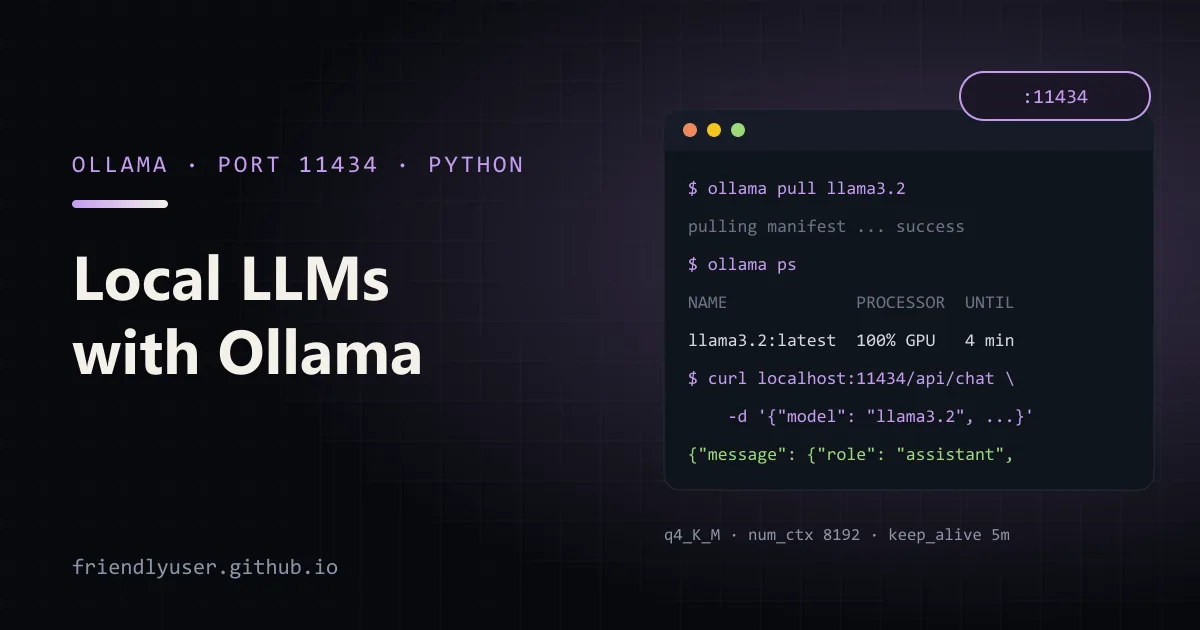
Ollama runs open-weight language models on your own machine and serves them over a local HTTP API. It handles downloading quantised model files, loading them onto the GPU (or CPU), and unloading them when idle, so calling a local model from code is about as easy as calling a hosted one.
Local models are worth having for offline work, for data you can’t send to a third party, for cheap bulk jobs where a small model is good enough, and for testing LLM code without an API key. This post covers installing Ollama, the CLI, the REST API on port 11434, the ollama Python package, the OpenAI-compatible endpoint, and the context and memory settings that decide whether a model runs well. Python examples use the ollama package 0.6 and Python 3.12.
Installing and running a model
Section titled “Installing and running a model”On macOS and Windows, install the app from ollama.com/download. On Linux, the official script installs the binary and a systemd service:
curl -fsSL https://ollama.com/install.sh | shThere is also an official Docker image, ollama/ollama, if you would rather keep it in a container.
The installer starts the server in the background. The CLI talks to it:
ollama pull llama3.2 # download a model (the 3B Llama 3.2, about 2 GB)ollama run llama3.2 # interactive chat; /bye to exitollama run llama3.2 "Explain DNS in one sentence." # one-shot promptollama list # models on diskollama ps # models loaded in memory, and whether they're on GPU or CPUollama show llama3.2 # architecture, parameters, context length, quantisationollama stop llama3.2 # unload from memoryollama rm llama3.2 # delete from diskModel names follow name:tag. llama3.2 means llama3.2:latest; other tags pick a size or quantisation, such as llama3.2:1b. The model library lists the tags for each model.
The REST API
Section titled “The REST API”The server listens on http://localhost:11434. The two endpoints you’ll use most are /api/generate (a single prompt) and /api/chat (a list of messages):
curl http://localhost:11434/api/chat -d '{ "model": "llama3.2", "messages": [{"role": "user", "content": "Why is the sky blue? One sentence."}], "stream": false}'The response has the reply in message.content, plus counters such as prompt_eval_count (input tokens), eval_count (output tokens) and total_duration (in nanoseconds).
Streaming is the default on these endpoints. Without "stream": false you get newline-delimited JSON: one object per chunk, each with a piece of message.content, and a final object with "done": true and the counters. Other useful endpoints are /api/tags (local models), /api/ps (loaded models), /api/show and /api/embed (embeddings, for embedding models such as nomic-embed-text).
The ollama Python package
Section titled “The ollama Python package”The official package wraps the same API with typed responses. Install it with pip install ollama (or uv add ollama).
# chat_ollama.py: three ways to call a local model from Pythonfrom ollama import chatfrom pydantic import BaseModel
MODEL = "llama3.2"messages = [{"role": "user", "content": "In two sentences, what is a context window?"}]
# 1. One call, whole response at once. num_ctx sets the context window for this request.response = chat(model=MODEL, messages=messages, options={"num_ctx": 8192})print(response.message.content)print("prompt tokens:", response.prompt_eval_count, "output tokens:", response.eval_count)
# 2. Streaming: chunks arrive as the model generates them.for chunk in chat(model=MODEL, messages=messages, stream=True):    print(chunk.message.content, end="", flush=True)print()

# 3. Structured output: constrain the reply to a JSON schema.class Person(BaseModel):    name: str    languages: list[str]

response = chat(    model=MODEL,    messages=[{"role": "user", "content": "Ada writes Python and Rust. Return her as JSON."}],    format=Person.model_json_schema(),    options={"temperature": 0},)print(Person.model_validate_json(response.message.content))
The module-level chat() uses a default client pointed at localhost:11434 (or at OLLAMA_HOST if it’s set). To talk to Ollama on another machine, or to set a timeout, create a client:
from ollama import Client
client = Client(host="http://gpu-box.internal:11434", timeout=120)response = client.chat(model="llama3.2", messages=[{"role": "user", "content": "Hi"}])
There is an AsyncClient with the same methods for asyncio code. The format argument with a JSON schema makes the server constrain generation to that schema, which is much more reliable with small models than asking for JSON in the prompt.
The OpenAI-compatible endpoint
Section titled “The OpenAI-compatible endpoint”Ollama also serves an OpenAI-style API under /v1. Any tool or library that speaks the OpenAI Chat Completions API can use a local model by changing the base URL:
# openai_compat.py: the same local model through Ollama's OpenAI-compatible endpointfrom openai import OpenAI
client = OpenAI(base_url="http://localhost:11434/v1", api_key="ollama")  # key is required but ignoredcompletion = client.chat.completions.create(    model="llama3.2",    messages=[{"role": "user", "content": "Name three uses for a local LLM."}],)print(completion.choices[0].message.content)
This is the easiest way to point an existing app at a local model. The compatibility covers the common parts (chat completions, streaming, tools, embeddings) but not every parameter, and Ollama-specific options such as num_ctx aren’t part of the OpenAI request format. If you need those, use the native API, or bake them into a custom model as shown below.
Context length
Section titled “Context length”Every request has a context window (num_ctx): the prompt plus the generated output must fit in it. The model’s maximum (shown by ollama show) is usually far larger than what Ollama allocates by default, because a bigger window needs more memory. The default has changed between Ollama releases, so don’t rely on it; set it for the workload.
There are three places to set it:
- Per request:
options={"num_ctx": 8192}in the native API, as in the example above. - Server default: the
OLLAMA_CONTEXT_LENGTHenvironment variable on the server, for exampleOLLAMA_CONTEXT_LENGTH=8192 ollama serve. - Per model: a Modelfile, which creates a named variant you can also use from OpenAI-compatible clients:
FROM llama3.2PARAMETER num_ctx 8192ollama create llama3.2-8k -f Modelfileollama run llama3.2-8kWhen a prompt is longer than the window, Ollama has historically truncated it to fit rather than returning an error, so the symptom is a model that “forgets” the instructions at the top of a long prompt. If answers get strange as inputs grow, compare prompt_eval_count in the response with your num_ctx.
Quantisation and memory
Section titled “Quantisation and memory”Models in the Ollama library are mostly published as quantised GGUF files. The default tags usually use 4-bit quantisation (q4_K_M); other tags offer 8-bit (q8_0) or 16-bit (fp16) versions. Lower precision means a smaller file, less memory and faster generation, at some cost in quality. For most chat and extraction tasks, 4-bit versions of 7-8B models are good enough; the difference shows up more on maths, code and long, careful reasoning.
Memory use has two main parts:
- Weights: roughly parameters × bits per weight ÷ 8. An 8B model at a little under 5 bits per weight (typical for
q4_K_M) is around 5 GB; the same model inq8_0is roughly 8.5 GB. - KV cache: grows linearly with the context window. For Llama 3.1 8B (32 layers, 8 key-value heads of dimension 128, 16-bit cache) it is 2 × 32 × 8 × 128 × 2 bytes = 128 KiB per token. That is 1 GiB at 8,192 tokens and 16 GiB at 131,072 tokens, more than the weights.
That second number is why the default context is small. If a model doesn’t fit in GPU memory, Ollama splits it between GPU and CPU, and generation slows down a lot. ollama ps shows the split (for example 48%/52% CPU/GPU). When you see anything other than 100% GPU on a machine with a GPU, use a smaller model, a lower quantisation or a smaller num_ctx.
Two server settings help with the KV cache: OLLAMA_FLASH_ATTENTION=1 enables flash attention, and with it OLLAMA_KV_CACHE_TYPE=q8_0 stores the cache at 8 bits, roughly halving its size.
Gotchas
Section titled “Gotchas”- Models unload after 5 minutes idle by default, and the next request pays the load time again. Set
keep_aliveper request ("keep_alive": "30m", or-1to keep it loaded) orOLLAMA_KEEP_ALIVEon the server. - The server only listens on localhost by default.
OLLAMA_HOST=0.0.0.0:11434exposes it to the network, with no authentication. Put a reverse proxy with auth in front of it, or keep it on a private network. - Concurrency is limited by memory. Ollama can serve parallel requests and keep several models loaded, but each one needs its own memory. Under load, requests queue.
- Small models are small. A 3B model is fine for classification, extraction and rewriting, and weak at multi-step reasoning. Test on your own task before replacing a hosted model.
- Same name, different weights. A tag like
latestcan be updated upstream. Pin a specific tag in scripts if you need reproducible results.
Further reading
Section titled “Further reading”- Ollama on GitHub (the
docsfolder has the API reference) - ollama-python on GitHub
- Ollama model library
© 2026 David Li · Home · Blog · RSS ·Classic site · Built with Astro, Starlight and three.js · Logos:Font Awesome Free (CC BY 4.0)