Handling LLM API rate limits: retries, backoff and concurrency caps
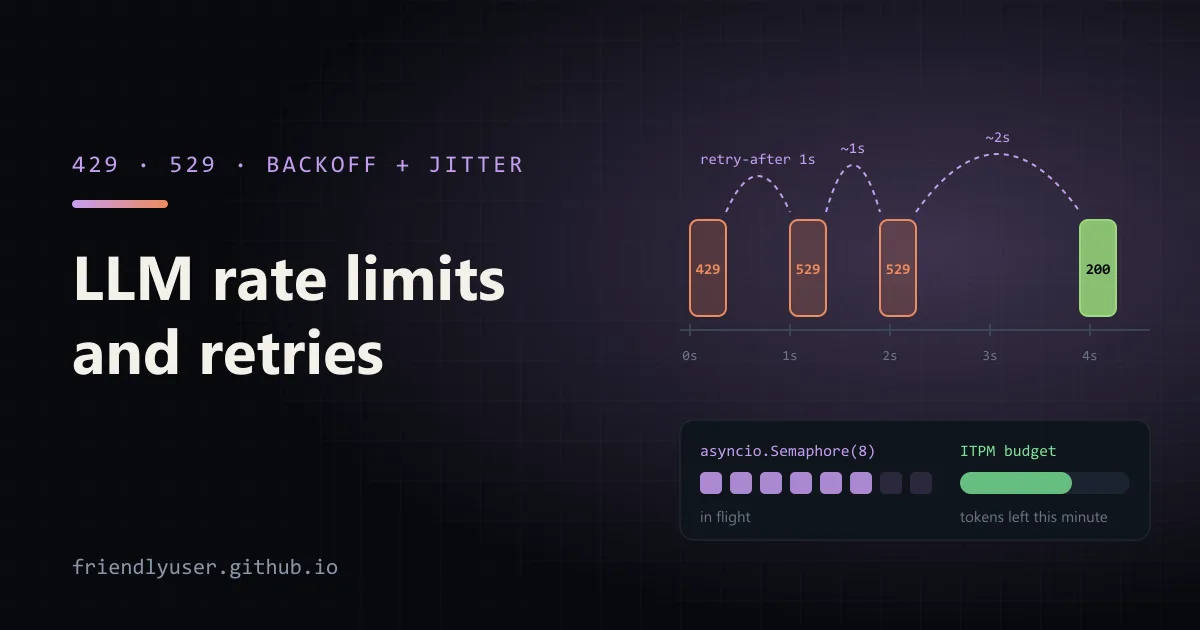
Any program that sends more than a handful of requests to an LLM API will see errors that have nothing to do with its own code: rate limits, overloaded servers, dropped connections. Handled well, they cost a few seconds of waiting. Handled badly, they crash a batch job halfway through or make a retry storm worse.
This post covers which errors are worth retrying, what the Anthropic Python SDK already does for you, how to write your own backoff with jitter, and how to keep a concurrent job under your rate limits in the first place. Examples use the anthropic SDK 1.8, Python 3.12 and claude-sonnet-4-5. The output shown comes from running the scripts against a local stub server that returned the error codes listed, because rate limits on a real account are hard to trigger on demand.
Which errors to retry
Section titled “Which errors to retry”| Status | Error type | What it means | Retry? |
|---|---|---|---|
| 400, 401, 403, 404, 413 | invalid_request_error, authentication_error, … | Your request or credentials are wrong | No. It will fail the same way again |
| 429 | rate_limit_error | Your organization went over a limit: requests, input tokens or output tokens per minute | Yes, after the retry-after delay |
| 500 | api_error | Something broke on the server | Yes, with backoff |
| 529 | overloaded_error | The API is busy for everyone right now | Yes, with backoff |
| (none) | connection error, timeout | The request didn’t complete | Yes, with backoff |
The difference between 429 and 529 matters when you decide what to do next. A 429 is about your usage, so the fix is to slow down: lower concurrency, spread the work out, or ask for higher limits. A 529 isn’t caused by you; slowing your own traffic helps only a little, and waiting (or falling back to another model) is all you can do.
One 429 is not retryable: when an organization reaches its monthly spend limit, the response has no retry-after header and retries keep failing until the limit is raised.
What the SDK already does
Section titled “What the SDK already does”The official SDKs retry automatically. In the Python SDK, the defaults are:
- 2 retries (3 attempts in total), configurable with
max_retries. - Retries on 408, 409, 429 and all 5xx responses, and on connection errors and timeouts. A server can override this with an
x-should-retry: true|falseheader. - The wait honours
retry-after(and the more preciseretry-after-ms) when the response has one. - Otherwise it waits 0.5 s × 2^n, capped at 8 seconds, multiplied by a random factor between 0.75 and 1, so parallel clients don’t retry in lockstep.
You can see this in the SDK’s _base_client.py, and in the logs if you turn on INFO logging:
# sdk_retries.py: watch the SDK's built-in retriesimport loggingimport osimport time
import anthropic
logging.basicConfig(format="%(name)s: %(message)s", level=logging.INFO)MODEL = os.environ.get("CLAUDE_MODEL", "claude-sonnet-4-5")
client = anthropic.Anthropic(max_retries=4)  # default is 2
start = time.monotonic()message = client.messages.create(    model=MODEL,    max_tokens=256,    messages=[{"role": "user", "content": "One sentence on exponential backoff."}],)print(f"succeeded after {time.monotonic() - start:.1f}s: {message.content[0].text}")
Against a stub that answered 429 (with retry-after: 1), then 529 twice, then 200:
httpx2: HTTP Request: POST http://127.0.0.1:8777/v1/messages "HTTP/1.0 429 Too Many Requests"anthropic._base_client: Retrying request to /v1/messages in 1.000000 secondshttpx2: HTTP Request: POST http://127.0.0.1:8777/v1/messages "HTTP/1.0 529 "anthropic._base_client: Retrying request to /v1/messages in 0.847703 secondshttpx2: HTTP Request: POST http://127.0.0.1:8777/v1/messages "HTTP/1.0 529 "anthropic._base_client: Retrying request to /v1/messages in 1.536156 secondshttpx2: HTTP Request: POST http://127.0.0.1:8777/v1/messages "HTTP/1.0 200 OK"succeeded after 3.4s: (stub reply to: 'One sentence on exponential backoff.')The first wait is exactly the retry-after value. The next two have no header, so they use exponential backoff with jitter: about 1 second, then about 2.
For many programs, raising max_retries is all the retry logic you need. You can also set it per call with client.with_options(max_retries=5).messages.create(...), and turn retries off with max_retries=0 where a fast failure is better, such as an interactive request that has its own fallback.
Writing your own backoff
Section titled “Writing your own backoff”Write your own loop when you need something the SDK doesn’t do: a longer total wait for overnight jobs, logging or metrics on every retry, a fallback model after the second 529, or a different policy per error type. Turn off the SDK’s retries so the two don’t multiply (an SDK with 2 retries inside your loop of 6 attempts is 18 requests).
# backoff.py: your own retry loop, for when the SDK's defaults aren't enoughimport osimport randomimport time
import anthropic
MODEL = os.environ.get("CLAUDE_MODEL", "claude-sonnet-4-5")client = anthropic.Anthropic(max_retries=0)  # we retry ourselves
RETRYABLE = (    anthropic.RateLimitError,       # 429: your organization's limits    anthropic.OverloadedError,      # 529: the API is busy for everyone    anthropic.InternalServerError,  # other 5xx    anthropic.APIConnectionError,   # network errors and timeouts)

def create_with_backoff(*, attempts: int = 6, base: float = 1.0, cap: float = 60.0, **params):    for attempt in range(attempts):        try:            return client.messages.create(**params)        except RETRYABLE as err:            if attempt == attempts - 1:                raise            retry_after = None            if isinstance(err, anthropic.APIStatusError):                header = err.response.headers.get("retry-after")                retry_after = float(header) if header else None            # Full jitter: a random wait between 0 and the exponential ceiling.            delay = retry_after if retry_after is not None else random.uniform(0, min(cap, base * 2**attempt))            print(f"attempt {attempt + 1} failed with {type(err).__name__}; sleeping {delay:.2f}s")            time.sleep(delay)

message = create_with_backoff(    model=MODEL,    max_tokens=256,    messages=[{"role": "user", "content": "One sentence on jitter."}],)print(message.content[0].text)
attempt 1 failed with OverloadedError; sleeping 0.17sattempt 2 failed with InternalServerError; sleeping 0.29sattempt 3 failed with RateLimitError; sleeping 1.00s(stub reply to: 'One sentence on jitter.')The jitter strategy here is “full jitter”: wait a random time between zero and the exponential ceiling. It spreads retries from many clients more evenly than adding a small random amount to a fixed delay, which is what you want when hundreds of workers hit the same 529 at the same moment.
Two rules keep custom retry code from causing problems:
- Cap the total. Six attempts with a 60-second cap is a few minutes at most. Retrying forever turns an outage into a hung process.
- Don’t retry 4xx errors other than 429. A 400 caused by a bad parameter will fail every time, and retrying it wastes time and quota.
Staying under the limits
Section titled “Staying under the limits”Retries handle the errors you get. Better still is not getting them. Anthropic’s limits are measured per minute for requests (RPM), input tokens (ITPM) and output tokens (OTPM), per model class, and they are enforced continuously, like a token bucket, rather than reset at the top of each minute. So a burst of 500 requests in the first second can be rejected even if 500 per minute is your limit.
Every response tells you where you stand, in headers:
import osimport anthropic
client = anthropic.Anthropic()raw = client.messages.with_raw_response.create(    model=os.environ.get("CLAUDE_MODEL", "claude-sonnet-4-5"),    max_tokens=100,    messages=[{"role": "user", "content": "ping"}],)for name in ("requests", "input-tokens", "output-tokens"):    remaining = raw.headers.get(f"anthropic-ratelimit-{name}-remaining")    reset = raw.headers.get(f"anthropic-ratelimit-{name}-reset")    print(f"{name}: {remaining} left, resets at {reset}")message = raw.parse()  # the usual Message objectprint(message.usage)
The headers follow the pattern anthropic-ratelimit-{requests,input-tokens,output-tokens}-{limit,remaining,reset}, and a 429 response also carries retry-after. Logging the remaining values from a sample of responses is a cheap way to see how close a job runs to its limits.
For prompt-cached requests, the rate limits page explains how cached tokens count against ITPM for each model. For most current models, only uncached input counts, which makes caching a way to raise effective throughput as well as cut cost.
Capping concurrency with asyncio
Section titled “Capping concurrency with asyncio”For a job that processes many documents, the two controls that matter are how many requests are open at once and how many input tokens you send per minute. An asyncio.Semaphore handles the first; a small token bucket handles the second:
# fan_out.py: many requests with a concurrency cap and an input-token budgetimport asyncioimport osimport time
import anthropic
MODEL = os.environ.get("CLAUDE_MODEL", "claude-sonnet-4-5")client = anthropic.AsyncAnthropic(max_retries=4)

class TokenBucket:    """Allow `rate_per_minute` tokens per minute, refilled continuously."""
    def __init__(self, rate_per_minute: int):        self.capacity = rate_per_minute        self.tokens = float(rate_per_minute)        self.refill_per_sec = rate_per_minute / 60        self.updated = time.monotonic()        self.lock = asyncio.Lock()
    async def acquire(self, n: int) -> None:        n = min(n, self.capacity)        async with self.lock:  # one waiter at a time keeps it first come, first served            while True:                now = time.monotonic()                self.tokens = min(self.capacity, self.tokens + (now - self.updated) * self.refill_per_sec)                self.updated = now                if self.tokens >= n:                    self.tokens -= n                    return                await asyncio.sleep((n - self.tokens) / self.refill_per_sec)

in_flight = asyncio.Semaphore(8)  # at most 8 requests open at onceinput_budget = TokenBucket(rate_per_minute=40_000)  # stay under your ITPM limit

def estimate_tokens(text: str) -> int:    return len(text) // 3 + 1  # rough and deliberately high; use count_tokens for accuracy

async def summarize(doc_id: int, text: str) -> tuple[int, str]:    await input_budget.acquire(estimate_tokens(text))    async with in_flight:        message = await client.messages.create(            model=MODEL,            max_tokens=200,            messages=[{"role": "user", "content": f"Summarise in one sentence:\n\n{text}"}],        )    return doc_id, message.content[0].text

async def main() -> None:    docs = [f"Document {i}: " + "lorem ipsum " * 50 for i in range(40)]    start = time.monotonic()    results = await asyncio.gather(        *(summarize(i, d) for i, d in enumerate(docs)), return_exceptions=True    )    failed = [r for r in results if isinstance(r, Exception)]    for err in failed[:3]:        print("failed:", repr(err))    print(f"{len(results) - len(failed)} ok, {len(failed)} failed in {time.monotonic() - start:.1f}s")

asyncio.run(main())
With a stub that returned two 429s and a 529 among the first requests, this printed 40 ok, 0 failed after 43 requests: the SDK’s retries absorbed the errors. With the budget lowered to 6,000 tokens per minute, the same 40 documents (about 205 estimated tokens each) took 22 seconds, which is what the arithmetic says: the first 6,000 tokens go immediately, and the remaining 2,200 refill at 100 per second.
Some notes on this pattern:
- Acquire the token budget before the semaphore. Otherwise a request waiting for budget holds one of the eight slots while doing nothing.
- Estimate high. The budget only works if the estimate isn’t below the real count.
client.messages.count_tokens()gives exact numbers but costs a request each; a character-based estimate with a safety margin is usually enough. Output tokens have their own limit (OTPM), andmax_tokensis the worst case for each request. return_exceptions=Truekeeps one failed document from cancelling the rest. Collect the failures and retry them later, or write them to a file for inspection.- Don’t call your file
concurrent.py. It shadows the standard library’sconcurrentpackage, whichasyncioimports, and the error message is confusing.
If the job doesn’t need answers within minutes, the Message Batches API is often a better fit than a hand-rolled concurrent client: it runs asynchronously, has its own limits separate from the Messages API, and is billed at a discount.
Gotchas
Section titled “Gotchas”- Timeouts are retried too. With the default 10-minute timeout and 2 retries, a hung request can take half an hour to fail. Lower the timeout (
anthropic.Anthropic(timeout=60)) for short requests, and use streaming for long ones. - Retried requests are new requests. If a timeout happened after the model finished generating, the retry pays for a second generation. That is rare, but it’s another reason to keep timeouts sensible.
- Several processes share one limit. A semaphore of 8 in each of 10 workers is 80 concurrent requests against one organization’s limits. For multiple workers, put the limiter in a shared place (a queue with a fixed number of consumers, or a Redis-based limiter).
- Watch for sudden ramps. Jumping from idle to full concurrency can trigger 429s even under your nominal limits. Start slowly and increase concurrency over the first minute.
Further reading
Section titled “Further reading”- Rate limits
- Errors
- anthropic-sdk-python on GitHub (see the Retries and Timeouts sections of the README)
- Exponential Backoff And Jitter (AWS Architecture Blog)
© 2026 David Li · Home · Blog · RSS ·Classic site · Built with Astro, Starlight and three.js · Logos:Font Awesome Free (CC BY 4.0)