Querying CSV and Parquet files with DuckDB
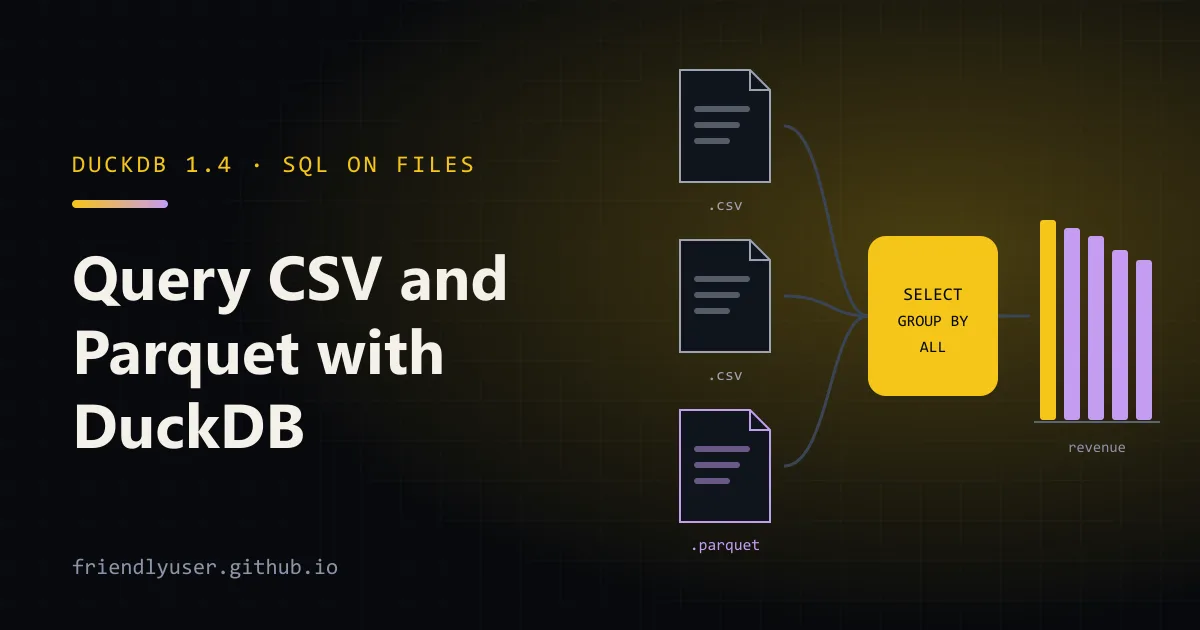
DuckDB is an in-process SQL database built for analytics. There’s no server to run: it’s a single binary for the command line and a pip install for Python, and it can query CSV, Parquet and JSON files directly without loading them first. For “I have a folder of exports and a question”, it’s often the quickest path from files to an answer.
This post covers the CLI and the Python API, reading files with read_csv and read_parquet, globs over many files, writing Parquet with COPY ... TO, and querying pandas DataFrames by name. Examples use DuckDB 1.4.4 and pandas 3.0 on Python 3.13.
Installing
Section titled “Installing”The CLI is a single executable:
# Linux and macOScurl https://install.duckdb.org | sh
# Windowswinget install DuckDB.cli
# macOS with Homebrewbrew install duckdb
The Python package is self-contained and doesn’t need the CLI:
pip install duckdb # or: uv add duckdbSample data
Section titled “Sample data”To follow along, this script writes three monthly CSV files of fake orders (60,000 rows in total) into data/:
import csvimport randomfrom datetime import datetime, timedeltafrom pathlib import Path
random.seed(42)Path("data").mkdir(exist_ok=True)products = {"keyboard": 79.0, "mouse": 25.0, "monitor": 249.0, "cable": 9.5, "dock": 189.0}countries = ["CA", "US", "DE", "JP", "BR"]order_id = 0for month in (1, 2, 3):    start = datetime(2025, month, 1)    with open(f"data/orders-2025-{month:02d}.csv", "w", newline="") as f:        w = csv.writer(f)        w.writerow(["order_id", "ordered_at", "country", "product", "quantity", "unit_price"])        for _ in range(20_000):            order_id += 1            product = random.choice(list(products))            w.writerow([                order_id,                (start + timedelta(days=random.randrange(28), seconds=random.randrange(86400))).isoformat(sep=" "),                random.choice(countries),                product,                random.randint(1, 4),                products[product],            ])
Querying a file directly
Section titled “Querying a file directly”In the CLI, start duckdb with no arguments for an in-memory database, then put a file path where a table name would go:
SELECT * FROM 'data/orders-2025-01.csv' LIMIT 3;┌──────────┬─────────────────────┬─────────┬──────────┬──────────┬────────────┐│ order_id │ ordered_at │ country │ product │ quantity │ unit_price ││ int64 │ timestamp │ varchar │ varchar │ int64 │ double │├──────────┼─────────────────────┼─────────┼──────────┼──────────┼────────────┤│ 1 │ 2025-01-01 10:00:48 │ US │ keyboard │ 2 │ 79.0 ││ 2 │ 2025-01-24 03:43:54 │ BR │ mouse │ 1 │ 25.0 ││ 3 │ 2025-01-14 01:09:25 │ CA │ dock │ 1 │ 189.0 │└──────────┴─────────────────────┴─────────┴──────────┴──────────┴────────────┘DuckDB sniffed the delimiter, the header row and the column types: ordered_at came back as a timestamp without being told. Behind the scenes, FROM 'file.csv' is shorthand for FROM read_csv('file.csv'). Use the function form when you need to override what the sniffer decided:
SELECT *FROM read_csv('data/orders-2025-01.csv', columns = {'order_id': 'BIGINT', 'ordered_at': 'TIMESTAMP', 'country': 'VARCHAR', 'product': 'VARCHAR', 'quantity': 'INTEGER', 'unit_price': 'DECIMAL(10,2)'}, header = true);Other options you’ll reach for: delim, dateformat, nullstr, ignore_errors = true for messy files, and sample_size = -1 to make the sniffer read the whole file when early rows aren’t representative.
Two statements are worth knowing for exploring an unfamiliar file:
DESCRIBE SELECT * FROM 'data/orders-2025-01.csv'; -- column names and typesSUMMARIZE SELECT * FROM 'data/orders-2025-01.csv'; -- min, max, distinct count, quartiles, null % per columnMany files with globs
Section titled “Many files with globs”Pass a glob and DuckDB reads every matching file as one table, as long as the schemas line up:
SELECT country, count(*) AS orders, round(sum(quantity * unit_price), 2) AS revenueFROM 'data/orders-*.csv'GROUP BY countryORDER BY revenue DESC;┌─────────┬────────┬───────────┐│ country │ orders │ revenue ││ varchar │ int64 │ double │├─────────┼────────┼───────────┤│ CA │ 11998 │ 3341059.5 ││ BR │ 12155 │ 3306679.5 ││ US │ 12085 │ 3290580.5 ││ DE │ 11805 │ 3245644.0 ││ JP │ 11957 │ 3228986.5 │└─────────┴────────┴───────────┘** matches across subdirectories, and you can pass a list of paths: read_csv(['a.csv', 'b.csv']). To know which file each row came from, add filename = true, which adds a filename column:
SELECT regexp_extract(filename, 'orders-(\d{4}-\d{2})', 1) AS month, count(*) AS ordersFROM read_csv('data/orders-*.csv', filename = true)GROUP BY month ORDER BY month;If the files have slightly different columns (a column added in March, say), union_by_name = true matches columns by name and fills the missing ones with NULL.
Writing Parquet with COPY ... TO
Section titled “Writing Parquet with COPY ... TO”CSV is slow to parse and loses types. Converting to Parquet once makes every later query faster and the files smaller. COPY takes any query:
COPY (SELECT * FROM 'data/orders-*.csv') TO 'orders.parquet' (FORMAT parquet, COMPRESSION zstd);For larger data, partition the output into one directory per value, Hive style:
COPY ( SELECT *, strftime(ordered_at, '%Y-%m') AS month FROM 'data/orders-*.csv') TO 'out/orders' (FORMAT parquet, PARTITION_BY (month), COMPRESSION zstd);This produced:
out/orders/month=2025-01/data_0.parquetout/orders/month=2025-02/data_0.parquetout/orders/month=2025-03/data_0.parquetThe three Parquet files total about 490 KB, against about 2 MB of CSV. The parent directory (out/) has to exist already, and running the same COPY again fails with Directory "out/orders" is not empty! unless you add the OVERWRITE option (or OVERWRITE_OR_IGNORE to add files next to existing ones).
Reading Parquet
Section titled “Reading Parquet”read_parquet works like read_csv, with globs. With hive_partitioning = true, the month=... directory names become a column, and a filter on that column skips whole directories:
SELECT month, product, sum(quantity) AS unitsFROM read_parquet('out/orders/*/*.parquet', hive_partitioning = true)WHERE month = '2025-02'GROUP BY ALLORDER BY units DESCLIMIT 3;┌─────────┬─────────┬────────┐│ month │ product │ units ││ varchar │ varchar │ int128 │├─────────┼─────────┼────────┤│ 2025-02 │ mouse │ 10102 ││ 2025-02 │ monitor │ 10067 ││ 2025-02 │ cable │ 10022 │└─────────┴─────────┴────────┘Parquet also lets DuckDB read only the columns a query uses and skip row groups whose min/max statistics rule out the filter, so queries over Parquet usually touch a fraction of the file. GROUP BY ALL groups by every non-aggregated column in the SELECT, which saves retyping them.
The same functions read from S3, GCS and HTTP URLs through the httpfs extension, which DuckDB loads automatically when it sees such a path.
The Python API
Section titled “The Python API”In Python, duckdb.sql() runs a query on a default in-memory connection and returns a relation. Print it, or convert it to what you need: .df() for pandas, .pl() for Polars, .arrow() for a PyArrow table, .fetchall() for tuples.
Querying pandas DataFrames by name
Section titled “Querying pandas DataFrames by name”DuckDB can see Python variables. If a query names a table that doesn’t exist, it looks for a DataFrame (pandas or Polars) or Arrow table with that name in the calling scope and reads it directly, without copying:
import duckdbimport pandas as pd
targets = pd.DataFrame({    "country": ["CA", "US", "DE", "JP", "BR"],    "target": [3_300_000, 3_400_000, 3_200_000, 3_300_000, 3_250_000],})
result = duckdb.sql("""    SELECT country, round(sum(quantity * unit_price)) AS revenue, any_value(target) AS target    FROM 'data/orders-*.csv'    JOIN targets USING (country)    GROUP BY country    ORDER BY country""").df()
result["hit"] = result["revenue"] >= result["target"]print(result)
country revenue target hit0 BR 3306680.0 3250000 True1 CA 3341060.0 3300000 True2 DE 3245644.0 3200000 True3 JP 3228987.0 3300000 False4 US 3290581.0 3400000 FalseThe query joins 60,000 rows from three CSV files with an in-memory DataFrame, and the result comes back as a DataFrame. That pattern, SQL for the heavy lifting and pandas for the last step, works well.
Persistent databases and parameters
Section titled “Persistent databases and parameters”Pass a filename to duckdb.connect() to keep tables between runs. Use ? placeholders for values rather than string formatting:
import duckdb
con = duckdb.connect("shop.duckdb")con.sql("CREATE OR REPLACE TABLE orders AS FROM read_csv('data/orders-*.csv')")print(con.execute(    "SELECT count(*) FROM orders WHERE country = ? AND quantity >= ?", ["JP", 3]).fetchone())   # (5896,)con.close()
CREATE TABLE ... AS FROM ... is DuckDB’s shorthand for AS SELECT * FROM .... The same file opens in the CLI with duckdb shop.duckdb.
A .duckdb file can only be opened for writing by one process at a time. Several processes can open it read-only (duckdb.connect("shop.duckdb", read_only=True)), but not alongside a writer.
When to use DuckDB, and when a server database
Section titled “When to use DuckDB, and when a server database”DuckDB is a good fit when:
- the data is in files (exports, logs, data lake Parquet) and you want to query it without an import step;
- one person or one process is doing analysis: notebooks, scripts, CI jobs that check data, local dashboards;
- queries scan and aggregate many rows. Its columnar, vectorized engine is built for that, and it uses all cores by default.
Reach for Postgres or another server database when:
- many clients write concurrently. DuckDB allows one writing process per database file;
- the workload is lots of small transactions (insert one order, update one row) rather than scans;
- you need users, roles and network access. DuckDB has no server or authentication of its own.
The two combine well. DuckDB’s postgres extension can attach a live Postgres database and query it alongside local Parquet files, which is handy for one-off analysis without touching production with heavy queries.
Gotchas
Section titled “Gotchas”- Paths are relative to the working directory of the process, not the script. In notebooks that catches people out.
- The CSV sniffer samples rows. If a column is numeric for the first 20,000 rows and then has
N/A, the read fails. Usesample_size = -1,nullstr = 'N/A', or explicitcolumns. - Sums of integers widen.
sum()overBIGINTreturnsHUGEINT/INT128, as in theunitscolumn above. Cast with::BIGINTif a downstream tool complains. - Memory: DuckDB spills to disk for large sorts and joins, but it uses up to 80% of RAM by default. Set
SET memory_limit = '4GB'on shared machines.
Further reading
Section titled “Further reading”© 2026 David Li · Home · Blog · RSS ·Classic site · Built with Astro, Starlight and three.js · Logos:Font Awesome Free (CC BY 4.0)