Page animations with the View Transitions API
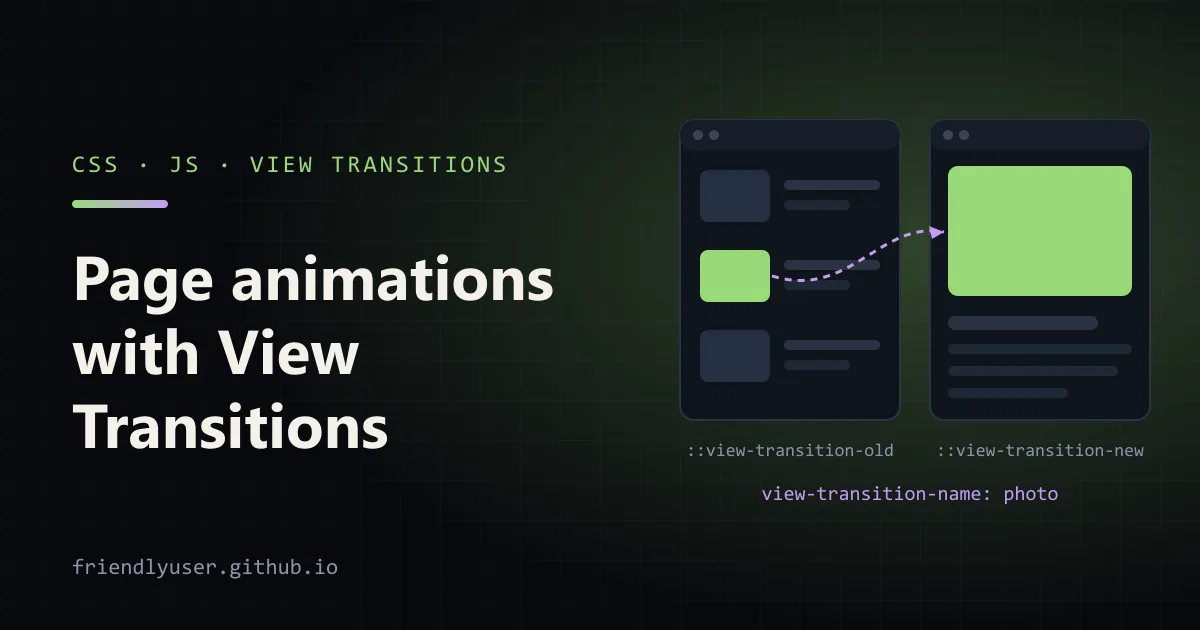
The View Transitions API animates between two states of a page. You change the DOM however you like, and the browser takes a snapshot before and after, then animates from one to the other: a cross-fade by default, or a morph for elements you give a name. It works for updates inside one document, and, with one CSS rule, for navigations between pages of a multi-page site.
What makes it useful is that the update code doesn’t have to know about the animation. There’s no keeping two copies of an element alive, no measuring positions, no FLIP calculations. This post covers same-document transitions, naming elements, styling the pseudo-elements, cross-document transitions, and reduced motion. The examples were tested in Chrome 156.
A first transition
Section titled “A first transition”Wrap the DOM change in document.startViewTransition():
<button id="layout">Toggle layout</button><ul class="grid" id="items">  <li>One</li><li>Two</li><li>Three</li><li>Four</li><li>Five</li></ul>
<script>  const items = document.getElementById("items");  document.getElementById("layout").addEventListener("click", () => {    document.startViewTransition(() => items.classList.toggle("list"));  });</script>
.grid { display: grid; grid-template-columns: repeat(3, 1fr); gap: 0.5rem; list-style: none; padding: 0; }.grid li { padding: 1rem; border-radius: 8px; background: #e8f5e1; }.grid.list { grid-template-columns: 1fr; }Clicking the button now cross-fades the whole page from the grid layout to the list layout, over a quarter of a second. Here is what happens:
- The browser captures a snapshot of the current page.
- It calls your callback, and waits for the returned promise if it returns one. Rendering is paused meanwhile, so the user never sees a half-updated page.
- It captures the new state.
- It builds a tree of pseudo-elements on top of the page, showing the old snapshot and the live new state, and animates between them.
- When the animations end, the pseudo-elements are removed.
The callback can be async. If it fetches data before updating the DOM, the old state stays on screen until the promise settles, so keep it fast or show the loading state inside the transition.
Naming elements so they morph
Section titled “Naming elements so they morph”A cross-fade of the whole page is fine for some updates and ugly for most. To make an element move from its old position and size to its new ones, give it a view-transition-name:
<ul class="grid" id="items"> <li style="view-transition-name: item-1">One</li> <li style="view-transition-name: item-2">Two</li> <li style="view-transition-name: item-3">Three</li> <li style="view-transition-name: item-4">Four</li> <li style="view-transition-name: item-5">Five</li></ul>Now each tile is captured separately, and the browser animates its position and size from the grid to the list. The rest of the page still cross-fades as root.
Each name must be unique on the page at the moment of capture. If two elements share a name, the transition is skipped: the update still runs, but there’s no animation, and the transition’s ready promise rejects with an InvalidStateError (“Snapshot capture failed” in Chrome). When names come from data, build them from an ID (item-${id}), not from a position in a list.
Writing unique names for a long list is tedious. view-transition-name: match-element asks the browser to generate a name per element based on its identity, which is enough when the same DOM element moves around. It works in Chrome 156; check support before relying on it elsewhere.
The pseudo-element tree
Section titled “The pseudo-element tree”During a transition, the browser builds this tree over the page:
::view-transition├─ ::view-transition-group(root)│ └─ ::view-transition-image-pair(root)│ ├─ ::view-transition-old(root)│ └─ ::view-transition-new(root)└─ ::view-transition-group(item-1) └─ ::view-transition-image-pair(item-1) ├─ ::view-transition-old(item-1) └─ ::view-transition-new(item-1)::view-transition-group(name)animates size and position from old to new.::view-transition-old(name)is a screenshot of the old state, animated from opaque to transparent.::view-transition-new(name)is the live new state, animated from transparent to opaque.
They are ordinary CSS targets, so you customise transitions with CSS animations:
/* A slower morph for the tiles, a quicker fade for the rest of the page */::view-transition-group(item-1),::view-transition-group(item-2) {  animation-duration: 300ms;}::view-transition-group(root) { animation-duration: 200ms; }
/* Replace the cross-fade on the page with a slide */@keyframes slide-out { to { transform: translateX(-30px); opacity: 0; } }@keyframes slide-in { from { transform: translateX(30px); opacity: 0; } }::view-transition-old(root) { animation: 200ms ease-in both slide-out; }::view-transition-new(root) { animation: 200ms ease-out both slide-in; }
* matches every name: ::view-transition-group(*).
Grouping with view-transition-class
Section titled “Grouping with view-transition-class”Repeating a rule for item-1 through item-50 doesn’t scale. view-transition-class puts a class on the captured element’s pseudo-elements, and the selectors take a class after the name:
.grid li { view-transition-class: tile; }::view-transition-group(*.tile) { animation-duration: 300ms; }On the test page, document.getAnimations() during the transition showed every ::view-transition-group(item-N) running for 300 ms and the root group for 200 ms.
The ViewTransition object and transition types
Section titled “The ViewTransition object and transition types”startViewTransition() returns a ViewTransition with three promises and a method:
updateCallbackDoneresolves when your callback’s promise resolves.readyresolves when the pseudo-elements exist and the animation is about to start. This is the place to start custom animations with the Web Animations API, targetingpseudoElement: "::view-transition-new(root)".finishedresolves when the animation is over and the new state is fully interactive.skipTransition()jumps straight to the end state.readythen rejects with anAbortError, andfinishedstill resolves.
You can also pass an object with types, which tag the transition so CSS can animate differently depending on what caused it, for example navigating forward versus back:
function withTransition(update, types = []) {  if (!document.startViewTransition) {    update(); // browsers without the API just update    return null;  }  return document.startViewTransition({ update, types });}
nextButton.addEventListener("click", () => withTransition(showNextPage, ["forward"]));prevButton.addEventListener("click", () => withTransition(showPreviousPage, ["backward"]));html:active-view-transition-type(forward) { &::view-transition-old(root) { animation-name: slide-out-left; } &::view-transition-new(root) { animation-name: slide-in-right; }}html:active-view-transition-type(backward) { &::view-transition-old(root) { animation-name: slide-out-right; } &::view-transition-new(root) { animation-name: slide-in-left; }}:active-view-transition-type() only matches while the transition runs. The wrapper function above is also the feature detection you want everywhere: with no API, the update simply happens.
Cross-document transitions
Section titled “Cross-document transitions”Between pages of a multi-page site (plain links, server-rendered pages), you don’t call any JavaScript. Both pages opt in with an at-rule:
@view-transition { navigation: auto;}With that in the CSS of both the old and the new page, same-origin navigations such as link clicks and back/forward get the default cross-fade. Named elements morph across pages too. A product thumbnail on a list page and the large photo on the product page can share a name:
/* products.html */.thumb { view-transition-name: product-photo; }
/* lamp.html */.hero { view-transition-name: product-photo; }
Clicking through animates the thumbnail growing into the hero image. In a list, set the name only on the item that was clicked (or use the ID-based naming from earlier), because the uniqueness rule still applies to each page.
Two events let JavaScript take part:
pageswapfires on the old page just before it is unloaded. Itsevent.viewTransitionis the transition, ornullif there is none.pagerevealfires on the new page before its first render. Register it in a script in the<head>, or it may fire before your listener exists.
// On the new page, in <head>window.addEventListener("pagereveal", (event) => { if (!event.viewTransition) return; const fromUrl = window.navigation?.activation?.from?.url; if (fromUrl && new URL(fromUrl).pathname === "/products") { event.viewTransition.types.add("forward"); }});The types set works the same way as in the same-document API, so the :active-view-transition-type() CSS above applies to page navigations as well. (window.navigation is the Navigation API. It isn’t available everywhere, hence the optional chaining.)
On the test pages, pageswap reported a view transition for a same-origin link click once both pages had the @view-transition rule. Cross-origin navigations never get one.
Reduced motion
Section titled “Reduced motion”Some users ask their operating system to reduce motion, and large sliding or zooming animations can make them feel ill. Respect the setting:
@media (prefers-reduced-motion: reduce) { ::view-transition-group(*), ::view-transition-old(*), ::view-transition-new(*) { animation: none !important; }}This disables the animations but keeps the transition mechanics, so the update stays atomic. A softer option is to keep a short cross-fade (opacity only) and drop the movement, which still signals that something changed. If you start animations from JavaScript on ready, check matchMedia("(prefers-reduced-motion: reduce)").matches there too.
Browser support
Section titled “Browser support”Same-document transitions (document.startViewTransition) shipped in Chrome and Edge 111, Safari 18 and Firefox 144, which made them Baseline in October 2025. Cross-document transitions with @view-transition are supported in Chromium-based browsers from version 126 and in Safari from 18.2. Newer pieces such as view-transition-class, transition types and match-element arrived at different times in each engine, so check MDN before you depend on them.
The API is a progressive enhancement by design. Without support, the DOM update or navigation still happens, just without animation, as long as you use the feature check shown above for startViewTransition.
Gotchas
Section titled “Gotchas”- The page doesn’t take input during the transition. The pseudo-element overlay sits on top, so clicks land on it. Keep transitions short, around 150 to 300 ms for UI updates.
- Old snapshots are images.
::view-transition-oldis a screenshot, so text in it doesn’t reflow while the group changes size. It looks stretched if the aspect ratio changes a lot. Adjustingheightorobject-fiton the old and new pseudo-elements for that name, or cross-fading instead of morphing, helps. - Don’t name everything. Every named element is captured and animated separately. Hundreds of names cost memory and frame time. Name the few elements whose movement explains the change.
- Unique names, every time. A duplicate name silently cancels the animation. If a transition stops working, check the console and the
readypromise for theInvalidStateError. - Slow updates freeze the old page. Rendering is paused until the update callback finishes. Fetch first, then start the transition with the data ready.
Further reading
Section titled “Further reading”© 2026 David Li · Home · Blog · RSS ·Classic site · Built with Astro, Starlight and three.js · Logos:Font Awesome Free (CC BY 4.0)