Running TypeScript directly in Node.js with type stripping
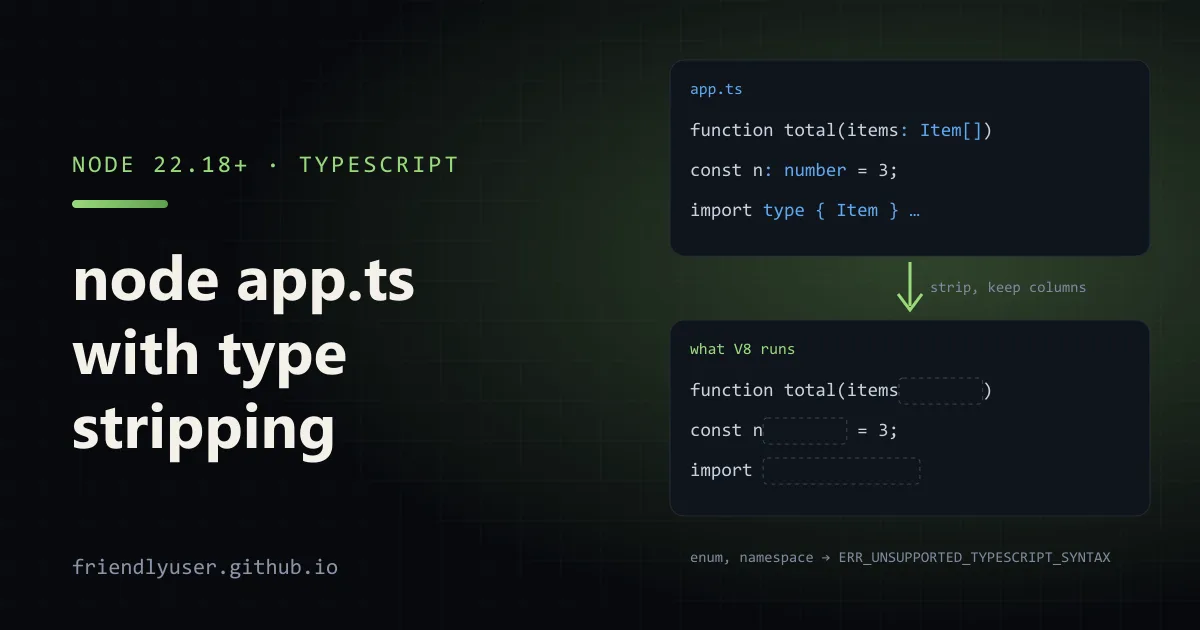
Node.js can run TypeScript files directly: node app.ts works with no build step, no ts-node and no tsx. Node does this by type stripping: it removes type annotations and runs what’s left as JavaScript. It does not type-check, and it does not transform TypeScript-only features that generate code, so it is worth knowing exactly where the line is.
Type stripping arrived behind --experimental-strip-types in Node 22.6, became enabled by default in Node 23.6, and was backported, enabled by default, to Node 22.18. Everything below was run on Node 24.14 with TypeScript 5.9.
A project that runs .ts files
Section titled “A project that runs .ts files”Here is a small project you can recreate. The package.json:
{ "name": "strip-demo", "private": true, "type": "module", "scripts": { "start": "node src/main.ts", "typecheck": "tsc --noEmit", "test": "node --test" }, "devDependencies": { "@types/node": "^24.0.0", "typescript": "^5.9.0" }}src/prices.ts:
export type Currency = "USD" | "EUR";
export interface LineItem {  sku: string;  cents: number;  quantity: number;}
export function total(items: readonly LineItem[]): number {  return items.reduce((sum, item) => sum + item.cents * item.quantity, 0);}
export function format(cents: number, currency: Currency): string { return new Intl.NumberFormat("en-US", { style: "currency", currency }).format(cents / 100);}src/main.ts:
import { readFile } from "node:fs/promises";import { format, total } from "./prices.ts";import type { LineItem } from "./prices.ts";
const raw = await readFile(new URL("../cart.json", import.meta.url), "utf8");const items = JSON.parse(raw) as LineItem[];
console.log(`${items.length} items, total ${format(total(items), "USD")}`);
And cart.json next to package.json:
[{ "sku": "mug", "cents": 1299, "quantity": 2 }, { "sku": "tea", "cents": 850, "quantity": 1 }]Run it:
$ npm start2 items, total $34.48Node 24.14 printed no warning. Earlier releases print an ExperimentalWarning the first time they strip types.
Two things in main.ts are required by Node, not just style:
- The import ends in
.ts. Node resolves ES module specifiers literally and does not guess extensions, so"./prices"fails withERR_MODULE_NOT_FOUND. Use the real file name. - The type import says
import type. After stripping,import { LineItem } from "./prices.ts"is a request for a runtime export calledLineItem, which doesn’t exist. Node fails withSyntaxError: The requested module './prices.ts' does not provide an export named 'LineItem'.import type(or an inlineimport { type LineItem }) is erased completely.
.ts files follow the same module rules as .js: the nearest package.json "type" field decides between ES modules and CommonJS. .mts and .cts force one or the other.
Tests and watch mode
Section titled “Tests and watch mode”The built-in test runner picks up TypeScript test files. With this src/prices.test.ts, npm test (which runs node --test) finds and runs it:
import { test } from "node:test";import assert from "node:assert/strict";import { format, total } from "./prices.ts";
test("total multiplies by quantity", () => {  assert.equal(total([{ sku: "a", cents: 250, quantity: 3 }]), 750);});
test("format uses the currency", () => {  assert.equal(format(1999, "EUR"), "€19.99");});
node --watch src/main.ts restarts on changes, which covers most of what people used nodemon plus ts-node for.
What “erasable syntax” means
Section titled “What “erasable syntax” means”Node strips types by replacing them with whitespace. Line and column numbers stay where they were, so stack traces point at the right place in your .ts file without source maps. The catch is that only syntax that can be erased is supported. TypeScript features that generate JavaScript fail with ERR_UNSUPPORTED_TYPESCRIPT_SYNTAX:
| Works (erasable) | Fails (needs a transform) |
|---|---|
Type annotations, interface, type | enum (including const enum) |
Generics, as, satisfies, ! | namespace / module blocks with runtime code |
import type, export type | Constructor parameter properties (constructor(private id: string)) |
declare statements, including declare namespace | import x = require() and export = |
Abstract classes, implements, access modifiers on class fields | Angle-bracket assertions (<T>value) |
For example:
$ node enum.tsSyntaxError [ERR_UNSUPPORTED_TYPESCRIPT_SYNTAX]: TypeScript enum is not supported in strip-only modeAngle-bracket assertions produce a helpful message suggesting value as T instead. Two more limits:
- No
.tsx. JSX needs a real transform. Node rejects.tsxfiles withERR_UNKNOWN_FILE_EXTENSION. - Nothing under
node_modules. Node refuses to strip types from dependencies (ERR_UNSUPPORTED_NODE_MODULES_TYPE_STRIPPING). Published packages should ship JavaScript and.d.tsfiles, as before.
Node also doesn’t read tsconfig.json. Path aliases (paths), baseUrl and every other compiler option have no effect at runtime.
Replacing the non-erasable features
Section titled “Replacing the non-erasable features”Most of the failing features have plain alternatives:
// Instead of: enum Status { Active = "active", Disabled = "disabled" }export const Status = { Active: "active", Disabled: "disabled" } as const;export type Status = (typeof Status)[keyof typeof Status]; // "active" | "disabled"
// Instead of: constructor(private readonly id: string) {}class Account {  readonly #id: string;  constructor(id: string) {    this.#id = id;  }}
Replace namespaces with modules, and import x = require("y") with import x from "y" or createRequire.
If you have a lot of enums and don’t want to touch them yet, node --experimental-transform-types handles enums, namespaces and parameter properties. As the name says it is experimental, and it printed an ExperimentalWarning on Node 24.14.
tsconfig settings to match
Section titled “tsconfig settings to match”Node doesn’t check types, so tsc still has a job: run it in CI and in your editor. Configure it to reject the same things Node rejects:
{ "compilerOptions": { "target": "esnext", "module": "nodenext", "strict": true, "noEmit": true, "allowImportingTsExtensions": true, "erasableSyntaxOnly": true, "verbatimModuleSyntax": true, "skipLibCheck": true, "types": ["node"] }, "include": ["src"]}What each of the less familiar options does:
erasableSyntaxOnly(TypeScript 5.8+) reports enums, runtime namespaces and parameter properties as errors:error TS1294: This syntax is not allowed when 'erasableSyntaxOnly' is enabled.You find out in the editor, not when Node crashes.verbatimModuleSyntaxrequiresimport typefor imports that are only used as types, which is exactly the rule Node needs.allowImportingTsExtensionslets you write./prices.tsin imports. It is only allowed together withnoEmit(oremitDeclarationOnly).module: "nodenext"makestscfollow Node’s own resolution rules, including the"type"field.
With that config, npm run typecheck is your type check and npm start runs the code. They are separate steps, and nothing stops you from running code that doesn’t type-check, so put tsc --noEmit in CI.
If you also publish compiled JavaScript
Section titled “If you also publish compiled JavaScript”For a library, or a deployment where you’d rather not ship .ts, you can still emit JavaScript from the same sources. rewriteRelativeImportExtensions (TypeScript 5.7+) rewrites ./prices.ts to ./prices.js in the output. A separate build config that extends the one above:
{ "extends": "./tsconfig.json", "compilerOptions": { "noEmit": false, "allowImportingTsExtensions": false, "rewriteRelativeImportExtensions": true, "outDir": "dist", "rootDir": "src" }, "exclude": ["src/**/*.test.ts"]}npx tsc -p tsconfig.build.json produces dist/main.js with import { format, total } from "./prices.js", and node dist/main.js gives the same output as before. Only relative imports are rewritten; path aliases still aren’t.
When to keep a build tool
Section titled “When to keep a build tool”Type stripping covers scripts, CLIs, small services and tests well. I’d keep tsx, esbuild or a bundler when:
- the code uses JSX, decorators or enums you can’t remove yet;
- the project relies on
pathsaliases at runtime; - you need to bundle for size or cold start, as in serverless functions;
- you need to support Node versions older than 22.18.
Gotchas
Section titled “Gotchas”- No type checking at runtime.
node app.tshappily runs code with type errors. This surprises people who are used tots-node, which type-checks by default. JSON.parse(...) as Tis still just a cast. Stripping doesn’t change what types guarantee. Validate external data at runtime.- Mixed
.jsand.tsimports. Code written fortscoutput often imports./prices.jswhile the file on disk isprices.ts. That works withtscand bundlers but not with Node’s type stripping, which needs the real.tsname. - Version differences. Node 22 releases before 22.18 need the
--experimental-strip-typesflag. Checknode --versionin CI images before relying onnode file.ts.
Further reading
Section titled “Further reading”© 2026 David Li · Home · Blog · RSS ·Classic site · Built with Astro, Starlight and three.js · Logos:Font Awesome Free (CC BY 4.0)