Web Streams in Node.js: ReadableStream, TransformStream and pipeTo
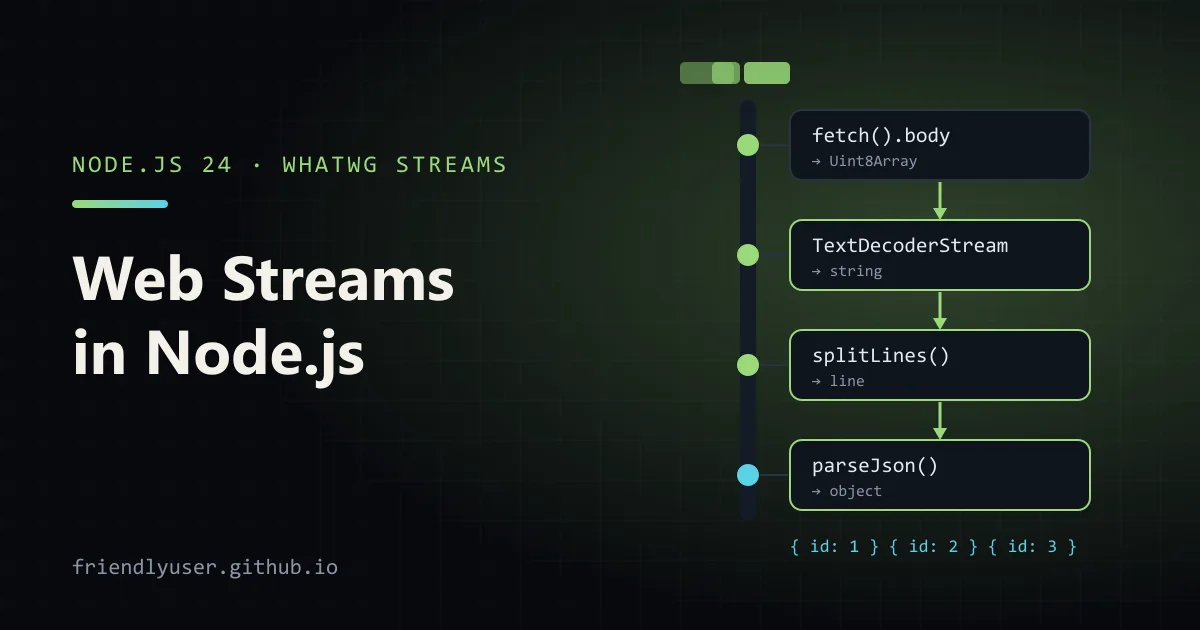
Node.js has two streams APIs. The original one (node:stream, with Readable, Writable and pipe) is older than Node 1.0. The other is the WHATWG Streams standard from browsers: ReadableStream, WritableStream and TransformStream. Web streams are global in Node, and they are what fetch() gives you as a response body, so you meet them as soon as you stream an HTTP response.
The web version is worth learning properly. The same code runs in Node, Deno, Bun, browsers and edge runtimes, and the API is smaller than Node’s: three classes, two pipe methods and a queuing strategy. This post covers creating streams, consuming them with for await, writing a line-splitting TransformStream, parsing a streamed fetch body, converting to and from Node streams, and how backpressure works. Everything was run on Node 24.14 as plain .mjs files, no dependencies.
The three classes
Section titled “The three classes”- A
ReadableStreamproduces chunks. You read it with an async iterator, a reader, or by piping it somewhere. - A
WritableStreamconsumes chunks, onewrite()at a time. - A
TransformStreamis a pair: a writable side you put chunks into and a readable side the transformed chunks come out of.
Two methods connect them. readable.pipeThrough(transform) returns the transform’s readable side, so calls chain. readable.pipeTo(writable) returns a promise that settles when everything is written or something fails.
Creating and reading a stream
Section titled “Creating and reading a stream”The constructor takes an “underlying source” with up to three callbacks: start(controller), pull(controller) and cancel(reason). pull is called whenever the stream wants more data, which is the cleanest way to write a source:
// A source that produces numbers on demand.let n = 0;const numbers = new ReadableStream({  pull(controller) {    n += 1;    controller.enqueue(n);    if (n === 5) controller.close();  },});
for await (const value of numbers) {  console.log("got", value);}
// From any iterable or async iterable:async function* letters() {  yield* ["a", "b", "c"];}const fromGen = ReadableStream.from(letters());const collected = [];for await (const x of fromGen) collected.push(x);console.log(collected.join(""));
got 1got 2got 3got 4got 5abcfor await is the easiest way to consume a stream in Node. Breaking out of the loop early cancels the stream, which tells the source to stop. ReadableStream.from() wraps any sync or async iterable, which makes async generators the shortest way to write a source.
The lower-level reader API is what for await uses under the hood:
const reader = stream.getReader();while (true) { const { value, done } = await reader.read(); if (done) break; // use value}reader.releaseLock();A stream can have one reader at a time. While it is locked, a second getReader() throws and pipeTo rejects. If you need two consumers, stream.tee() returns two branches.
A TransformStream that splits lines
Section titled “A TransformStream that splits lines”Network and file chunks have no respect for line boundaries. A chunk can end in the middle of a line, or in the middle of a multi-byte UTF-8 character. Handle the bytes with TextDecoderStream (which buffers incomplete characters for you), then split the text into lines with a small transform:
// Split a stream of text chunks into a stream of lines.export function splitLines() {  let buffer = "";  return new TransformStream({    transform(chunk, controller) {      buffer += chunk;      const lines = buffer.split("\n");      buffer = lines.pop(); // the last piece may be an incomplete line      for (const line of lines) controller.enqueue(line.replace(/\r$/, ""));    },    flush(controller) {      if (buffer) controller.enqueue(buffer);    },  });}
export function parseJson() {  return new TransformStream({    transform(line, controller) {      if (line.trim()) controller.enqueue(JSON.parse(line));    },  });}
transform runs once per incoming chunk and may enqueue zero, one or many outputs. flush runs once at the end, which is where the last line goes if the input didn’t end with a newline. A transform that throws errors the whole pipeline. For JSON parsing that is usually what you want; a bad line in a data feed should not be skipped silently.
Streaming a fetch response
Section titled “Streaming a fetch response”fetch() in Node returns a Response whose body is a ReadableStream of Uint8Array chunks. Chain the decoder and the two transforms, and you get parsed objects as they arrive instead of waiting for the whole body. This is how you consume NDJSON APIs, log tails, and LLM token streams.
The example starts a local server that sends three JSON lines in 10-byte pieces, so every line is split across chunks:
import { createServer } from "node:http";import { setTimeout as sleep } from "node:timers/promises";import { splitLines, parseJson } from "./lines.mjs";
// A local server that streams NDJSON slowly, with lines split across chunks.const server = createServer(async (req, res) => {  res.writeHead(200, { "content-type": "application/x-ndjson" });  const body = [1, 2, 3].map((id) => JSON.stringify({ id, status: "ok" }) + "\n").join("");  for (let i = 0; i < body.length; i += 10) {    res.write(body.slice(i, i + 10)); // 10-byte chunks: lines arrive in pieces    await sleep(20);  }  res.end();});await new Promise((resolve) => server.listen(0, resolve));const url = `http://localhost:${server.address().port}/events`;
const response = await fetch(url);if (!response.ok || !response.body) throw new Error(`HTTP ${response.status}`);
const events = response.body               // ReadableStream<Uint8Array>  .pipeThrough(new TextDecoderStream())    // -> ReadableStream<string>  .pipeThrough(splitLines())               // -> one string per line  .pipeThrough(parseJson());               // -> one object per line
for await (const event of events) {  console.log(event);}server.close();
{ id: 1, status: 'ok' }{ id: 2, status: 'ok' }{ id: 3, status: 'ok' }Remove splitLines() and JSON.parse fails on the first partial chunk, which is a quick way to convince yourself the buffering is needed.
If you only need the whole body, skip all this: await response.text() or await response.json() read the stream to the end for you. The same trick works for any stream: await new Response(stream).text().
Converting between web streams and Node streams
Section titled “Converting between web streams and Node streams”Plenty of Node APIs still take or return Node streams: fs.createReadStream, zlib, http responses, most npm packages. node:stream has converters in both directions:
| From | To | Function |
|---|---|---|
Node Readable | ReadableStream | Readable.toWeb(nodeReadable) |
ReadableStream | Node Readable | Readable.fromWeb(webReadable) |
Node Writable | WritableStream | Writable.toWeb(nodeWritable) |
WritableStream | Node Writable | Writable.fromWeb(webWritable) |
Node Duplex | { readable, writable } | Duplex.toWeb(duplex) |
Here they are in use: filter a log file with web-stream transforms, write the result with a Node file stream, gzip a web stream through zlib, and read it back:
import { createReadStream, createWriteStream, writeFileSync, readFileSync } from "node:fs";import { Readable, Writable } from "node:stream";import { pipeline } from "node:stream/promises";import { createGzip, createGunzip } from "node:zlib";import { splitLines } from "./lines.mjs";
writeFileSync("access.log", "GET /a 200\nGET /b 404\nPOST /c 500\nGET /d 200\n");
// Node stream -> web stream: read a file with the web API.const webLines = Readable.toWeb(createReadStream("access.log"))  .pipeThrough(new TextDecoderStream())  .pipeThrough(splitLines());
const errors = webLines.pipeThrough(  new TransformStream({    transform(line, controller) {      const status = Number(line.split(" ")[2]);      if (status >= 400) controller.enqueue(line + "\n");    },  }),);
// Web stream -> Node writable: pipeTo a file through Writable.toWeb.await errors.pipeThrough(new TextEncoderStream()).pipeTo(Writable.toWeb(createWriteStream("errors.log")));console.log(readFileSync("errors.log", "utf8"));
// Web stream -> Node stream: hand a fetch-style body to a Node API.const web = ReadableStream.from(["one\n", "two\n"]).pipeThrough(new TextEncoderStream());await pipeline(Readable.fromWeb(web), createGzip(), createWriteStream("out.txt.gz"));
// stream/promises pipeline also accepts web streams directly.await pipeline(createReadStream("out.txt.gz"), createGunzip(), new WritableStream({  write(chunk) { process.stdout.write(`gunzipped: ${Buffer.from(chunk).toString()}`); },}));
// Built-in transform streams for compression exist too.const gz = ReadableStream.from(["hello web streams"]).pipeThrough(new TextEncoderStream())  .pipeThrough(new CompressionStream("gzip"))  .pipeThrough(new DecompressionStream("gzip"))  .pipeThrough(new TextDecoderStream());for await (const s of gz) console.log(s);
GET /b 404POST /c 500
gunzipped: onetwohello web streamsTwo details from that example:
Writable.toWeb(createWriteStream(...))expects bytes, so text has to go throughTextEncoderStreamfirst.pipelinefromnode:stream/promisesaccepts web streams as well as Node streams. When a script mixes both, it is often simpler than converting each piece.
CompressionStream and DecompressionStream are the web-standard equivalents of zlib streams for gzip, deflate and deflate-raw. They’re globals in Node and work in browsers too, which makes them the portable choice.
Backpressure
Section titled “Backpressure”Backpressure is what stops a fast producer from filling memory when the consumer is slow. Web streams handle it with a queue in each stream and a high water mark: the size the queue is allowed to reach before the stream stops asking its source for more.
Each stream takes a queuing strategy as its second constructor argument. CountQueuingStrategy({ highWaterMark: n }) counts chunks. ByteLengthQueuingStrategy({ highWaterMark: bytes }) counts bytes. A source can check controller.desiredSize (high water mark minus what’s queued), and if you use pull, the stream only calls it when there is room. pipeTo and pipeThrough propagate that automatically: when the sink is busy, its queue fills, the pipe stops reading, the source’s queue fills, and pull stops being called.
Here a fast source feeds a sink that takes 100 ms per chunk:
import { setTimeout as sleep } from "node:timers/promises";
let produced = 0;const source = new ReadableStream(  {    pull(controller) {      produced += 1;      console.log(`pull #${produced} (desiredSize ${controller.desiredSize})`);      controller.enqueue(produced);      if (produced === 6) controller.close();    },  },  new CountQueuingStrategy({ highWaterMark: 2 }), // buffer at most 2 chunks ahead);
const slowSink = new WritableStream(  {    async write(chunk) {      await sleep(100); // pretend this is a slow database insert      console.log(`  wrote ${chunk}`);    },  },  new CountQueuingStrategy({ highWaterMark: 1 }),);
await source.pipeTo(slowSink);console.log("done");
pull #1 (desiredSize 2)pull #2 (desiredSize 2)pull #3 (desiredSize 1) wrote 1pull #4 (desiredSize 1) wrote 2pull #5 (desiredSize 1) wrote 3pull #6 (desiredSize 1) wrote 4 wrote 5 wrote 6doneThe source runs a few chunks ahead to fill the queues, then produces exactly one chunk per write. Memory stays flat no matter how many chunks there are.
Backpressure only works if the source cooperates. A source that calls enqueue in a loop inside start() ignores it completely and queues everything. Use pull, or check desiredSize and wait. When you write to a WritableStream by hand, the equivalent is to await writer.ready before each writer.write(chunk):
const writer = slowSink.getWriter();for (const row of rows) { await writer.ready; // resolves when the queue has room writer.write(row);}await writer.close();Gotchas
Section titled “Gotchas”- Errors and cancellation propagate. If any stage of a
pipeThroughchain throws, the source is cancelled and the final consumer sees the error. Catch it around thefor awaitor thepipeTopromise. - Don’t forget the body. In Node, a
fetchresponse whose body you never read or cancel keeps the connection busy. If you checkresponse.okand bail out, callawait response.body?.cancel(). - Text vs bytes. Most sinks want
Uint8Array. PutTextEncoderStreamin front of a byte sink andTextDecoderStreamafter a byte source. Don’t decode chunks withnew TextDecoder().decode(chunk)per chunk: it breaks multi-byte characters split across chunks unless you pass{ stream: true }. - Node streams are still fine. For code that only runs in Node and already uses
fsandzlibstreams, there is no need to convert. Use web streams where the code touchesfetchor needs to run elsewhere. - Browser support varies for newer pieces.
ReadableStream.from()andfor awaitover a stream work in Node 24. Check MDN’s compatibility tables before using them in browser code.
Further reading
Section titled “Further reading”- Node.js Web Streams API documentation
- MDN: Streams API
- WHATWG Streams Standard
- Node.js
streamdocumentation, forReadable.fromWebandtoWeb
© 2026 David Li · Home · Blog · RSS ·Classic site · Built with Astro, Starlight and three.js · Logos:Font Awesome Free (CC BY 4.0)