Branded types in TypeScript: keeping IDs and units apart
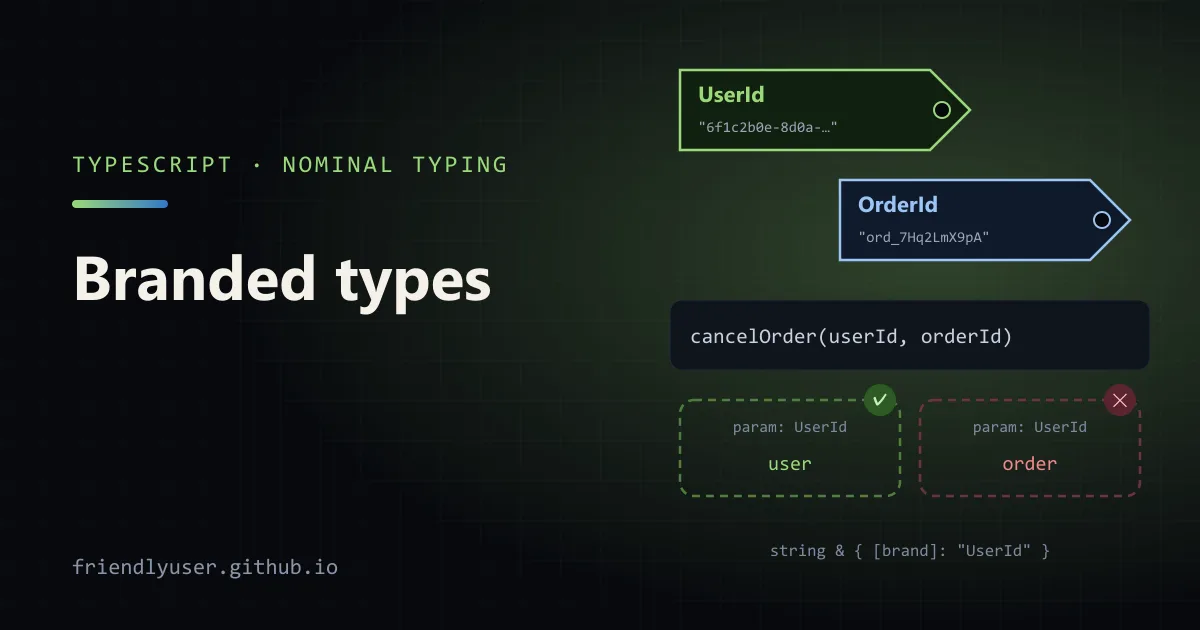
TypeScript’s type system is structural: two types with the same shape are interchangeable. That is usually what you want, but it means a userId: string and an orderId: string are the same type, and so are priceInCents: number and delayInSeconds: number. A branded type adds a phantom tag to a primitive so the compiler treats UserId and OrderId as different types, while at runtime they stay plain strings with no wrapper and no cost.
The examples here were checked with TypeScript 5.9 and 6.0, Zod 4.3 and Node 24.
The bug brands prevent
Section titled “The bug brands prevent”function cancelOrder(userId: string, orderId: string) { /* ... */ }
cancelOrder(order.id, user.id); // compiles, and cancels nothing (or the wrong thing)Every ID in a typical backend is a string, so the compiler can’t help when two of them are swapped. The same goes for numbers with units: a function that takes milliseconds will accept seconds, and an amount in dollars will happily be added to one in cents.
Defining a brand
Section titled “Defining a brand”A brand is an intersection of the base type with an object type that has a property no real value will ever have:
declare const brand: unique symbol;export type Brand<T, Name extends string> = T & { readonly [brand]: Name };
export type UserId = Brand<string, "UserId">;export type OrderId = Brand<string, "OrderId">;
declare const brand: unique symbol creates a symbol type that exists only for the compiler. Nothing is emitted for it, and code outside this module can’t name the property, so it won’t show up in autocomplete or be set by accident. You will also see the simpler T & { __brand: "UserId" }. It works the same way, but the __brand property does appear in editor suggestions.
A plain string is not assignable to UserId, because it lacks the brand property. A UserId is still assignable to string, so branded values work with every string method and every function that takes a string.
Constructor functions
Section titled “Constructor functions”Since no real value carries the brand, the only way to get a UserId is a type assertion. Put that assertion in one function, next to the validation, and treat that function as the only way in:
const UUID = /^[0-9a-f]{8}-[0-9a-f]{4}-[0-9a-f]{4}-[0-9a-f]{4}-[0-9a-f]{12}$/i;
export function parseUserId(value: string): UserId {  if (!UUID.test(value)) throw new Error(`not a user id: ${value}`);  return value as UserId;}
export function parseOrderId(value: string): OrderId {  if (!/^ord_[A-Za-z0-9]{10}$/.test(value)) throw new Error(`not an order id: ${value}`);  return value as OrderId;}
Now the swapped call fails to compile:
function cancelOrder(userId: UserId, orderId: OrderId): string {  return `user ${userId} cancelled ${orderId}`;}
const user = parseUserId("6f1c2b0e-8d0a-4c55-9a52-0a3c1f0b9e21");const order = parseOrderId("ord_7Hq2LmX9pA");
cancelOrder(user, order); // okcancelOrder(order, user); // error: 'OrderId' is not assignable to parameter of type 'UserId'cancelOrder("6f1c2b0e-8d0a-4c55-9a52-0a3c1f0b9e21", order); // error: string is not UserId
The brand now means something: a UserId is a string that went through parseUserId. Code that receives one doesn’t need to validate it again.
Type guards and assertion functions
Section titled “Type guards and assertion functions”Throwing isn’t always the right interface. A type guard lets callers branch, and an assertion function narrows the variable in place:
export type Email = Brand<string, "Email">;
export function isEmail(value: string): value is Email {  return /^[^@\s]+@[^@\s]+\.[^@\s]+$/.test(value);}
export function assertEmail(value: string): asserts value is Email {  if (!isEmail(value)) throw new Error(`invalid email: ${value}`);}
function sendWelcome(to: Email) { /* ... */ }
function signUp(input: string) {  if (isEmail(input)) sendWelcome(input); // input: Email inside the if}
function importContact(input: string) {  assertEmail(input);  sendWelcome(input); // input: Email from here on}
(That regex is a sanity check, not real email validation. The only real test of an address is sending mail to it.)
Branding numbers for units
Section titled “Branding numbers for units”Units are where brands catch the most real bugs. Here is a runnable example. Save it as units.ts, type-check it with npx tsc --noEmit --strict --target es2022 units.ts, and run it with node units.ts (Node 22.18 or later):
declare const brand: unique symbol;type Brand<T, Name extends string> = T & { readonly [brand]: Name };
type Cents = Brand<number, "Cents">;type Seconds = Brand<number, "Seconds">;type Milliseconds = Brand<number, "Milliseconds">;
const cents = (n: number): Cents => {  if (!Number.isInteger(n)) throw new Error(`cents must be an integer: ${n}`);  return n as Cents;};const seconds = (n: number) => n as Seconds;const ms = (n: number) => n as Milliseconds;const toMs = (s: Seconds): Milliseconds => ms(s * 1000);
function addCents(...amounts: Cents[]): Cents {  return cents(amounts.reduce((sum, a) => sum + a, 0));}
function formatCents(amount: Cents): string {  return `$${(amount / 100).toFixed(2)}`;}
function sleep(duration: Milliseconds): Promise<void> {  return new Promise((resolve) => setTimeout(resolve, duration));}
const price = cents(1999);const shipping = cents(499);const total = addCents(price, shipping);console.log(formatCents(total)); // $24.98
const sum = price + shipping; // number: arithmetic drops the brand// formatCents(sum);          // error: number is not assignable to Cents
// sleep(seconds(2));         // error: Seconds is not assignable to Millisecondssleep(toMs(seconds(0.5))).then(() => {  console.log("done", price > shipping); // comparisons work as usual});
Two things to notice:
- Arithmetic drops the brand.
price + shippingis anumber. That is the correct behaviour (the compiler can’t know that adding twoCentsgivesCents, while multiplying them doesn’t), but it means you need small helpers such asaddCentsfor the operations your domain allows. - Conversions become explicit.
toMsis the only way fromSecondstoMilliseconds, so the factor of 1000 lives in one place.
Brands and JSON
Section titled “Brands and JSON”Brands exist only in the type system, so they disappear when data leaves the process. JSON.stringify writes a branded ID as a plain string, which is fine. The danger is on the way back in:
type Order = { id: OrderId; owner: UserId; total: Cents };
const order: Order = JSON.parse(body); // compiles: JSON.parse returns anyconst order2 = JSON.parse(body) as Order; // also compiles, and checks nothing
Both lines put brands on values that were never validated, which is exactly what brands are supposed to prevent. Anything that crosses a trust boundary (HTTP bodies, database rows, files, localStorage) needs to go through a parser that applies the constructor functions. Writing that by hand for every type is tedious, which is where a schema library helps.
Zod’s .brand()
Section titled “Zod’s .brand()”Zod has brands built in. .brand<"Name">() adds a brand to a schema’s output type, so the only way to get a branded value is to parse it:
import * as z from "zod";
const UserId = z.uuid().brand<"UserId">();type UserId = z.infer<typeof UserId>;
const OrderId = z.string().regex(/^ord_[A-Za-z0-9]{10}$/).brand<"OrderId">();type OrderId = z.infer<typeof OrderId>;
const Cents = z.int().nonnegative().brand<"Cents">();type Cents = z.infer<typeof Cents>;
const Order = z.object({ id: OrderId, owner: UserId, total: Cents });type Order = z.infer<typeof Order>;
function cancelOrder(userId: UserId, orderId: OrderId) { /* ... */ }
const order = Order.parse(JSON.parse(  '{"id":"ord_7Hq2LmX9pA","owner":"6f1c2b0e-8d0a-4c55-9a52-0a3c1f0b9e21","total":2498}',));cancelOrder(order.owner, order.id); // okcancelOrder(order.id, order.owner); // error
const bad: UserId = "6f1c2b0e-8d0a-4c55-9a52-0a3c1f0b9e21"; // error: plain string
The brand is on the output type only. z.input<typeof Order> is { id: string; owner: string; total: number }, which is what you want for building request payloads in a client. Zod’s brands use a different symbol from the hand-written Brand type above, so pick one approach per codebase rather than mixing them.
Parsing an invalid order reports every field:
✖ Invalid string: must match pattern /^ord_[A-Za-z0-9]{10}$/ → at id✖ Invalid UUID → at owner✖ Too small: expected number to be >=0 → at totalAlternatives
Section titled “Alternatives”Template literal types work when an ID format has a fixed prefix. type OrderId = `ord_${string}` rejects "6f1c..." and accepts any literal starting with ord_. It needs no constructor for literals, but a value typed as plain string (from JSON, a URL, a database) still has to be checked before it can be assigned.
Wrapper classes (class UserId { constructor(readonly value: string) {} }) give real nominal typing through private fields and can carry methods. They cost an allocation per value and need explicit conversion for JSON, so I only use them when the type has behaviour.
Gotchas
Section titled “Gotchas”- Keep the
ascasts in one module. A brand is only as good as the discipline around it. Ifvalue as UserIdappears in fifty files, you have a naming convention, not a type check. Lint for casts to branded types outside the constructor module if your team is large. - Don’t brand everything. Brands pay off for values that are easy to mix up and costly to get wrong: IDs of different entities, money, durations, sanitised versus raw HTML. A
firstNamebrand adds friction for nothing. - Database and ORM types. Generated row types are plain
stringandnumber. Parse rows at the repository boundary, or use the ORM’s custom type hooks to return branded types, so the rest of the code never sees unbranded IDs. - Error messages mention the brand property. Assigning a plain string reports
Type 'string' is not assignable to type 'UserId', followed byType 'string' is not assignable to type '{ readonly [brand]: "UserId"; }'. With Zod brands the second line names$brand<"UserId">instead. Once you have seen it, it is easy to recognise.
Further reading
Section titled “Further reading”- TypeScript handbook: Type compatibility, on structural typing
- TypeScript handbook: Narrowing, including type predicates and assertion functions
- Zod API documentation, including the section on branded types
© 2026 David Li · Home · Blog · RSS ·Classic site · Built with Astro, Starlight and three.js · Logos:Font Awesome Free (CC BY 4.0)