Validating requests in ASP.NET Core minimal APIs
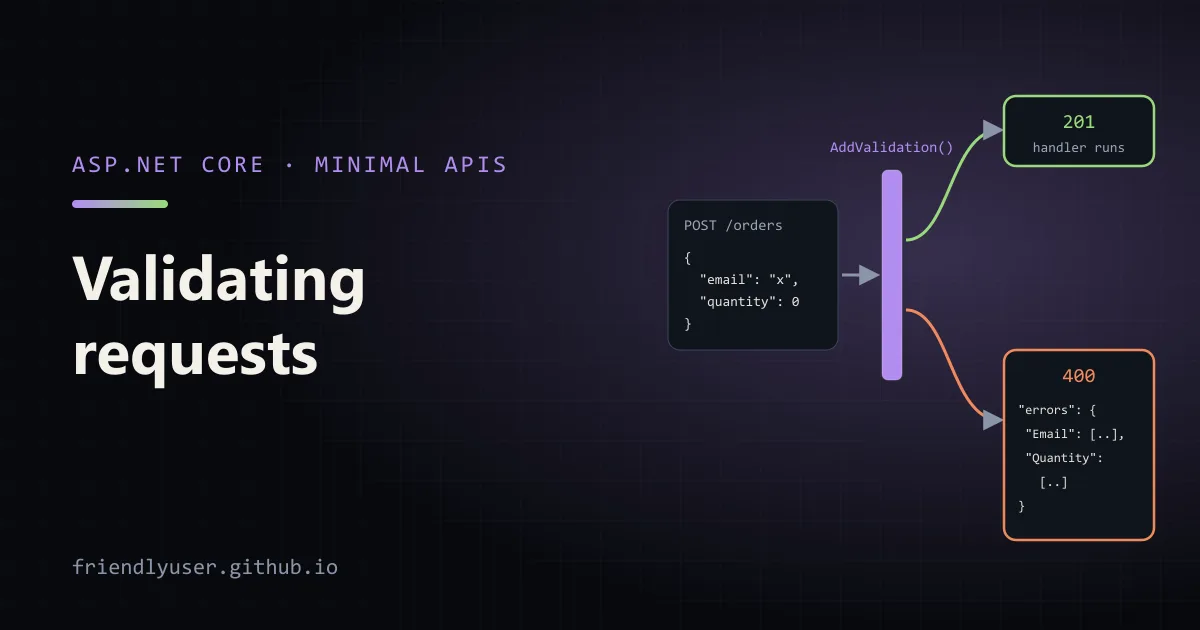
MVC controllers have validated request models through ModelState for years, but minimal APIs shipped without any validation. Through .NET 9 you either wrote an endpoint filter or pulled in a library. .NET 10 closes the gap: call builder.Services.AddValidation() and minimal API parameters are checked against their DataAnnotations attributes before the handler runs, with a 400 ProblemDetails response when they fail.
This post covers the built-in .NET 10 validation, the endpoint-filter approach (still useful for custom rules, and the only built-in-free option on .NET 9), and FluentValidation as an alternative. The endpoint-filter and FluentValidation examples were run on .NET 9 with FluentValidation 12.2.0, and the responses shown are real. The AddValidation code follows the .NET 10 documentation.
Describing the rules with DataAnnotations
Section titled “Describing the rules with DataAnnotations”DataAnnotations attributes from System.ComponentModel.DataAnnotations are the common vocabulary: [Required], [Range], [StringLength], [EmailAddress], [RegularExpression] and others. Rules that involve several properties go in IValidatableObject.Validate:
using System.ComponentModel.DataAnnotations;
public record CreateOrder(    [Required, EmailAddress] string? Email,    [Range(1, 100)] int Quantity,    [Required, RegularExpression("^[A-Z]{3}-[0-9]{4}$")] string? Sku) : IValidatableObject{    public DateOnly? DeliverBy { get; init; }
    public IEnumerable<ValidationResult> Validate(ValidationContext context)    {        if (DeliverBy is { } date && date < DateOnly.FromDateTime(DateTime.UtcNow))            yield return new ValidationResult("Delivery date can't be in the past.", [nameof(DeliverBy)]);    }}
Email and Sku are nullable on purpose. If they were non-nullable string, a missing JSON property would still deserialize to null, and the type would be lying about it.
Built-in validation in .NET 10
Section titled “Built-in validation in .NET 10”In a .NET 10 web project, register the validation services:
using System.ComponentModel.DataAnnotations;
var builder = WebApplication.CreateBuilder(args);builder.Services.AddProblemDetails();builder.Services.AddValidation();
var app = builder.Build();
app.MapPost("/orders", (CreateOrder order) => TypedResults.Created("/orders/1", order));
// Attributes on route and query parameters work too.app.MapGet("/orders/{id}", ([Range(1, int.MaxValue)] int id) => TypedResults.Ok(new { id }));
// Opt a single endpoint out.app.MapPost("/orders/import", (CreateOrder order) => TypedResults.Accepted("/orders/import"))   .DisableValidation();
app.Run();
That’s all. For each endpoint, a validation filter checks the attributes on the parameters and walks into their properties, nested objects and collection items. If anything fails, the handler doesn’t run and the client gets 400 Bad Request with a validation problem details body: the usual type, title and status fields plus an errors object mapping each member path to its messages. Nested members get paths like Customer.ShippingAddress.Street or Items[0].Quantity.
How it works matters for a few edge cases:
- It is a source generator. At build time it finds the parameter types of minimal API handlers in the project that calls
AddValidation, plus everything reachable from them, and generates validation metadata. Nothing is discovered by reflection at runtime, so it works with trimming and Native AOT. - Only the assembly that calls
AddValidationis scanned. If your endpoints or request types live in a class library, that library needs its ownAddValidationcall (typically inside anAddMyFeature()extension method), or its types aren’t validated. Missing metadata doesn’t throw or log; validation just doesn’t happen. [ValidatableType]marks types the generator can’t find from a handler signature, for example a type you validate yourself through the validation API. In .NET 10 it lives inMicrosoft.Extensions.Validationand is marked experimental: using it in a plain class library gives warning ASP0029, which you suppress to proceed.- Records work as written. The attributes in
CreateOrdersit on the positional parameters, and the .NET 10 validator handles that. The hand-written filter in the next section does not. - Nullable value-type parameters are a known gap in .NET 10. Attributes on something like
[Range(1, 10)] int? pagearen’t applied when the value is null. The docs track this as an issue fixed in .NET 11. IValidatableObject.Validateruns only after the property attributes pass. A request with a bad email and a past delivery date reports only the email error. That’s standard DataAnnotations behaviour, and the filter below shows it too.
The error response goes through IProblemDetailsService, so customisations made with AddProblemDetails apply to it as well:
builder.Services.AddProblemDetails(options => options.CustomizeProblemDetails = ctx => ctx.ProblemDetails.Extensions["requestId"] = ctx.HttpContext.TraceIdentifier);Doing it with an endpoint filter
Section titled “Doing it with an endpoint filter”Endpoint filters (since .NET 7) wrap a handler and can inspect its arguments before it runs. On .NET 9 and earlier, a small generic filter gives you DataAnnotations validation. On .NET 10 the same technique is the hook for rules the attributes can’t express.
The record needs one change for this approach. Validator.TryValidateObject reads attributes from properties, and an attribute written on a positional record parameter is applied to the constructor parameter only. Add the property: target:
public record CreateOrder( [property: Required, EmailAddress] string? Email, [property: Range(1, 100)] int Quantity, [property: Required, RegularExpression("^[A-Z]{3}-[0-9]{4}$")] string? Sku) : IValidatableObject{ // ... DeliverBy and Validate as before}I checked what happens without it: with plain [Range(1, 100)], a request with "quantity": 0 was accepted with 201 Created. The attribute was silently ignored.
The filter:
public sealed class DataAnnotationsFilter<T> : IEndpointFilter where T : class{    public async ValueTask<object?> InvokeAsync(EndpointFilterInvocationContext context, EndpointFilterDelegate next)    {        var model = context.Arguments.OfType<T>().FirstOrDefault();        if (model is null)            return await next(context);
        var results = new List<ValidationResult>();        var valid = Validator.TryValidateObject(model, new ValidationContext(model, context.HttpContext.RequestServices, null),            results, validateAllProperties: true);        if (valid)            return await next(context);
        var errors = results            .SelectMany(r => r.MemberNames.DefaultIfEmpty("").Select(m => (Member: m, r.ErrorMessage)))            .GroupBy(e => e.Member, e => e.ErrorMessage ?? "Invalid value.")            .ToDictionary(g => g.Key, g => g.ToArray());        return TypedResults.ValidationProblem(errors);    }}
validateAllProperties: true is easy to forget. Without it, TryValidateObject only checks [Required]. Attach the filter to an endpoint:
var builder = WebApplication.CreateBuilder(args);builder.Services.AddProblemDetails();
var app = builder.Build();app.UseStatusCodePages();
app.MapPost("/orders", (CreateOrder order) => TypedResults.Created("/orders/1", order))   .AddEndpointFilter<DataAnnotationsFilter<CreateOrder>>();
app.Run();
A bad request:
curl -i -X POST localhost:5311/orders -H "content-type: application/json" \ -d '{"email":"not-an-email","quantity":0,"sku":"abc","deliverBy":"2020-01-01"}'HTTP/1.1 400 Bad RequestContent-Type: application/problem+json
{"type":"https://tools.ietf.org/html/rfc9110#section-15.5.1","title":"One or more validation errors occurred.","status":400,"errors":{"Email":["The Email field is not a valid e-mail address."],"Quantity":["The field Quantity must be between 1 and 100."],"Sku":["The field Sku must match the regular expression '^[A-Z]{3}-[0-9]{4}$'."]},"traceId":"00-359e0c3f77ac435bc05cfb2232e47d37-0c0d5e9279c141b3-00"}The past delivery date isn’t mentioned, because Validate didn’t run. Fix the three fields and send the same date, and it is the only error:
{"type":"https://tools.ietf.org/html/rfc9110#section-15.5.1","title":"One or more validation errors occurred.","status":400,"errors":{"DeliverBy":["Delivery date can't be in the past."]},"traceId":"00-4f52e39fe2154dec29f6b3147d6aa0d8-b9c277aa3d6cd627-00"}TypedResults.ValidationProblem produces an HttpValidationProblemDetails, the same shape MVC uses. Clients that already handle MVC validation errors handle these too.
Requests that never reach validation
Section titled “Requests that never reach validation”Validation runs on objects. If the JSON can’t be deserialized at all ({"quantity": "lots"}, or malformed JSON), binding fails first and neither the handler nor any filter runs. Outside Development, the default response is a 400 with an empty body. AddProblemDetails plus app.UseStatusCodePages() turns that into a problem details body:
HTTP/1.1 400 Bad RequestContent-Type: application/problem+json
{"type":"https://tools.ietf.org/html/rfc9110#section-15.5.1","title":"Bad Request","status":400,"traceId":"00-f122bbd29de70441a193d59d77628ac1-37509953fe019cbd-00"}
It doesn’t say which field was wrong. If clients need that, accept strings at the edge and validate the format yourself.
Rules that need services
Section titled “Rules that need services”Some rules need a database or another service: “this SKU exists”, “this email isn’t registered yet”. Put those in an endpoint filter (or in the handler) rather than in an attribute. The filter gets constructor injection and an async InvokeAsync. Add it after the DataAnnotations filter and it only sees input that passed the attribute checks:
public sealed class SkuExistsFilter(ICatalog catalog) : IEndpointFilter{ public async ValueTask<object?> InvokeAsync(EndpointFilterInvocationContext context, EndpointFilterDelegate next) { var order = context.GetArgument<CreateOrder>(0); if (!await catalog.ExistsAsync(order.Sku!, context.HttpContext.RequestAborted)) return TypedResults.ValidationProblem(new Dictionary<string, string[]> { ["Sku"] = [$"Unknown SKU '{order.Sku}'."], }); return await next(context); }}ICatalog stands in for whatever service you check against. GetArgument<T>(index) takes the parameter’s position in the handler signature. Filters run in the order they are added.
FluentValidation
Section titled “FluentValidation”FluentValidation keeps the rules in a separate validator class instead of attributes. That suits conditional rules, rules shared between types, and teams that don’t want validation attributes on their contracts. Add the package (dotnet add package FluentValidation --version 12.2.0) and write a validator:
using FluentValidation;
public record CreateCustomer(string Name, string Email, string? Country, string? PostalCode);
public sealed class CreateCustomerValidator : AbstractValidator<CreateCustomer>{    public CreateCustomerValidator()    {        RuleFor(c => c.Name).NotEmpty().MaximumLength(100);        RuleFor(c => c.Email).NotEmpty().EmailAddress();        RuleFor(c => c.PostalCode)            .NotEmpty().Matches("^[A-Z][0-9][A-Z] ?[0-9][A-Z][0-9]$")            .When(c => c.Country == "CA")            .WithMessage("Canadian postal codes look like K1A 0B1.");    }}
FluentValidation doesn’t plug into minimal APIs by itself. The FluentValidation docs recommend calling validators explicitly rather than relying on the old automatic ASP.NET Core integration. A filter does it in one place:
public sealed class FluentValidationFilter<T>(IValidator<T> validator) : IEndpointFilter where T : class{    public async ValueTask<object?> InvokeAsync(EndpointFilterInvocationContext context, EndpointFilterDelegate next)    {        if (context.Arguments.OfType<T>().FirstOrDefault() is not { } model)            return await next(context);
        var result = await validator.ValidateAsync(model, context.HttpContext.RequestAborted);        return result.IsValid            ? await next(context)            : TypedResults.ValidationProblem(result.ToDictionary());    }}
Register and attach:
builder.Services.AddScoped<IValidator<CreateCustomer>, CreateCustomerValidator>();
app.MapPost("/customers", (CreateCustomer customer) => TypedResults.Created("/customers/1", customer))   .AddEndpointFilter<FluentValidationFilter<CreateCustomer>>();
result.ToDictionary() returns the IDictionary<string, string[]> that ValidationProblem expects. A bad request:
HTTP/1.1 400 Bad RequestContent-Type: application/problem+json
{"type":"https://tools.ietf.org/html/rfc9110#section-15.5.1","title":"One or more validation errors occurred.","status":400,"errors":{"Name":["'Name' must not be empty."],"Email":["'Email' is not a valid email address."],"PostalCode":["Canadian postal codes look like K1A 0B1."]},"traceId":"00-5974a74f958dc3d4e89d177dcdcfd40e-b7930f613e4e641d-00"}
Unlike DataAnnotations, FluentValidation runs every rule, so all three errors come back at once. MustAsync rules can call services, which covers the “SKU exists” case without a second filter.
Which to use
Section titled “Which to use”- On .NET 10, with attribute-friendly rules:
AddValidation(). It is built in, generated at compile time, AOT-safe, and handles nested objects and collections. - Rules that need services or I/O: an endpoint filter or the handler itself, or FluentValidation’s async rules.
- Large rule sets, conditional logic, rules reused across types: FluentValidation, called from a filter.
- On .NET 9 or earlier: the generic DataAnnotations filter above, with
property:targets on record parameters.
Whichever you pick, keep one response shape. Clients shouldn’t have to parse two error formats depending on which layer rejected the request.
Further reading
Section titled “Further reading”© 2026 David Li · Home · Blog · RSS ·Classic site · Built with Astro, Starlight and three.js · Logos:Font Awesome Free (CC BY 4.0)