Span<T> and Memory<T> in C#: parsing without allocations
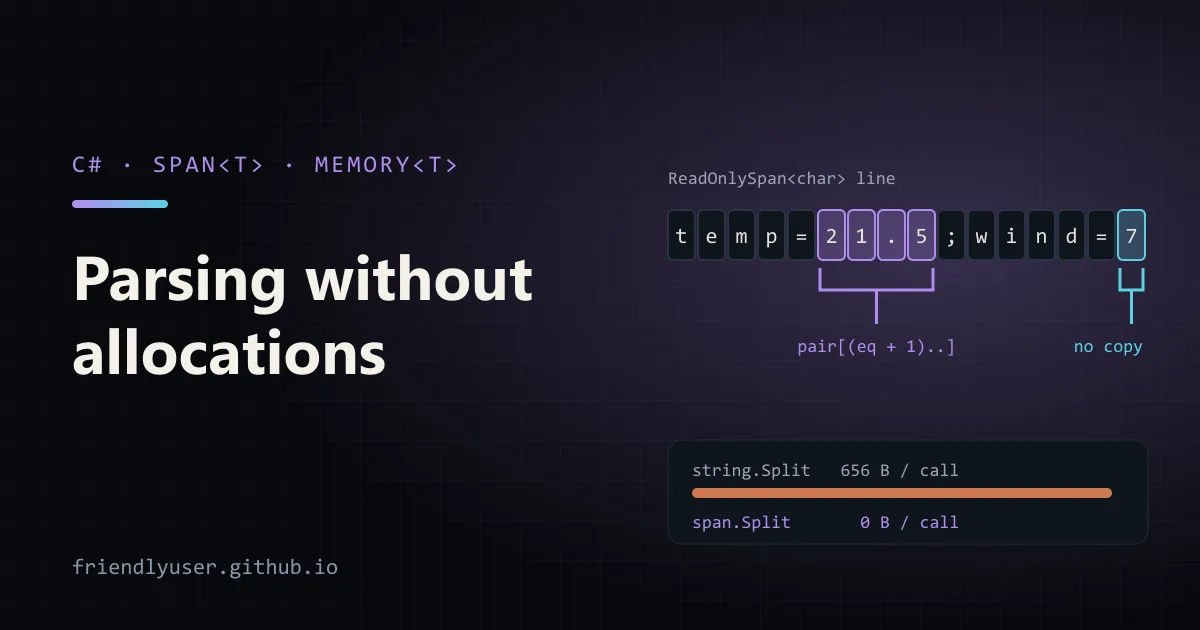
Span<T> is a view over a contiguous block of memory: part of an array, a string, a stackalloc buffer or native memory. Slicing a span doesn’t copy anything; you get a new view with a different start and length. That makes it the main tool for parsing in .NET without creating a string, array or substring for every piece. Memory<T> is its heap-friendly sibling for code that has to await.
This post shows the parsing patterns that come up most, with allocation counts measured rather than guessed. The examples use C# 13 and .NET 9 (MemoryExtensions.Split over spans is .NET 9+) and compile unchanged on .NET 10.
What a span is, and why it is stack-only
Section titled “What a span is, and why it is stack-only”Span<T> is a ref struct: a reference to the first element plus a length. Because it can point into the stack (stackalloc) or into the middle of an object, the compiler keeps it on the stack, where the runtime can track it safely. The rules that follow:
- It can’t be a field of a class or a normal struct. Only a
ref structcan hold one. - It can’t be boxed, captured by a lambda, or stored in a collection.
- It can’t be alive across an
awaitoryield.
The compiler enforces all three, with errors like these:
error CS8345: Field or auto-implemented property cannot be of type 'Span<int>' unless it is an instance member of a ref struct.error CS8175: Cannot use ref local 's' inside an anonymous method, lambda expression, or query expressionerror CS4007: Instance of type 'System.Span<byte>' cannot be preserved across 'await' or 'yield' boundary.Since C# 13 you can declare a span local inside an async method, as long as it isn’t used on both sides of an await. Earlier versions rejected any span local in an async method.
ReadOnlySpan<T> is the read-only version. A string converts to ReadOnlySpan<char> implicitly, which is what makes the parsing examples below work.
Parsing a string without substrings
Section titled “Parsing a string without substrings”Take a line of sensor readings:
temp=21.5;humidity=40;pressure=1013;wind=7The obvious code splits on ;, splits each pair on =, and parses the right-hand side. Each Split allocates an array plus a new string per piece. The span version slices the original string instead. Create a console app and replace Program.cs:
using System.Globalization;
const string line = "temp=21.5;humidity=40;pressure=1013;wind=7";
Console.WriteLine(ParseWithStrings(line));Console.WriteLine(ParseWithSpans(line));
// Warm up, then count bytes allocated on this thread for 100,000 calls each.for (var i = 0; i < 1000; i++) { ParseWithStrings(line); ParseWithSpans(line); }Console.WriteLine($"strings: {Measure(() => ParseWithStrings(line)):N0} bytes");Console.WriteLine($"spans:   {Measure(() => ParseWithSpans(line)):N0} bytes");
static long Measure(Func<double> parse){    var before = GC.GetAllocatedBytesForCurrentThread();    for (var i = 0; i < 100_000; i++) parse();    return GC.GetAllocatedBytesForCurrentThread() - before;}
// The usual way: every Split allocates an array and a new string per piece.static double ParseWithStrings(string input){    double total = 0;    foreach (var pair in input.Split(';'))    {        var parts = pair.Split('=');        total += double.Parse(parts[1], CultureInfo.InvariantCulture);    }    return total;}
// The span way: slices are views over the original string, nothing is copied.static double ParseWithSpans(string input){    double total = 0;    ReadOnlySpan<char> span = input;    foreach (Range range in span.Split(';'))          // MemoryExtensions.Split, .NET 9+    {        ReadOnlySpan<char> pair = span[range];        int eq = pair.IndexOf('=');        if (eq < 0) continue;        ReadOnlySpan<char> value = pair[(eq + 1)..].Trim();        total += double.Parse(value, CultureInfo.InvariantCulture);    }    return total;}
dotnet run -c Release on .NET 9:
1081.51081.5strings: 65,600,000 bytesspans: 0 bytesThat is 656 bytes per call for the string version and nothing for the span version. The numbers are exact allocation counts from GC.GetAllocatedBytesForCurrentThread, not timings. Allocation is what spans fix directly; whether it makes the code faster in your app depends on how much GC pressure you had. Measure speed with BenchmarkDotNet before claiming a win.
The pieces that made it work:
span.Split(';')returns aref structenumerator that yieldsRangevalues, not strings. Index the original span with each range to get the piece. There is also an overload that splits on any of several characters (SplitAny) and one that splits on a string separator. On .NET 8 there is an older overload that writes ranges into aSpan<Range>you supply.IndexOf,Trim, range slicing (pair[(eq + 1)..]) all return spans over the same memory.double.Parse(ReadOnlySpan<char>, IFormatProvider): every primitive type has span overloads ofParseandTryParse(int,long,decimal,Guid,DateTime,DateOnly, and more), so you never need a temporary string just to parse a number.
Comparing without allocating
Section titled “Comparing without allocating”Checking a key works the same way. pair[..eq].SequenceEqual("temp") or pair[..eq].Equals("temp", StringComparison.OrdinalIgnoreCase) compares in place. To look up a span in a Dictionary<string, T> without creating a string, .NET 9 added alternate lookups: dictionary.GetAlternateLookup<ReadOnlySpan<char>>() gives you an object whose TryGetValue accepts a span. The dictionary must use a comparer that supports it, and the default string comparers do.
stackalloc for small temporary buffers
Section titled “stackalloc for small temporary buffers”When you need scratch space, stackalloc gives you a Span<T> on the stack. It costs nothing to free and the GC never sees it:
// Formats "ORD-000042" with one allocation: the final string.static string FormatOrderId(int id){ Span<char> buffer = stackalloc char[32]; "ORD-".CopyTo(buffer); if (!id.TryFormat(buffer[4..], out int written, "D6")) throw new ArgumentOutOfRangeException(nameof(id)); return new string(buffer[..(4 + written)]);}FormatOrderId(42) returns ORD-000042, and FormatOrderId(1234567) returns ORD-1234567 (D6 pads to at least six digits). TryFormat exists on the same types as the span Parse overloads, and it writes straight into the span.
Two rules keep stackalloc safe:
- Keep it small and bounded. The default thread stack is about 1 MB on Windows, and overflowing it crashes the process with no exception to catch. A few hundred bytes to a couple of KB is the normal range. Never size a
stackallocfrom user input. - Fall back to the heap for big inputs. The standard pattern is:
const int StackLimit = 256;char[]? rented = null;Span<char> buffer = length <= StackLimit ? stackalloc char[StackLimit] : (rented = ArrayPool<char>.Shared.Rent(length));try{ // ... use buffer[..length] ...}finally{ if (rented is not null) ArrayPool<char>.Shared.Return(rented);}ArrayPool<T>.Shared.Rent may return an array larger than you asked for, so always slice to the length you need.
Memory when there is an await
Section titled “Memory when there is an await”You can’t hold a span across an await, but async I/O is exactly where buffers live. Memory<T> solves this: it is an ordinary struct (not ref) that refers to the same kinds of memory, except stack memory, and it can be stored in fields and survive an await. When you need to do the actual work, call .Span to get a span for the synchronous part.
This counts lines in a file with a pooled 64 KB buffer:
using System.Buffers;
static async Task<long> CountLinesAsync(string path, CancellationToken ct = default){    byte[] rented = ArrayPool<byte>.Shared.Rent(64 * 1024);    try    {        await using var stream = File.OpenRead(path);        Memory<byte> buffer = rented;           // Memory<T> can live across await        long lines = 0;        int read;        while ((read = await stream.ReadAsync(buffer, ct)) > 0)        {            // Back in synchronous code: get a Span for the fast part.            lines += buffer.Span[..read].Count((byte)'\n');        }        return lines;    }    finally    {        ArrayPool<byte>.Shared.Return(rented);    }}
On a 50,000-line test file it returns 50000. Stream.ReadAsync(Memory<byte>, CancellationToken) returns a ValueTask<int>, and MemoryExtensions.Count counts occurrences of a value with vectorized code.
The split of responsibilities is the general rule. Signatures that cross async boundaries or get stored (Stream, PipeReader, fields on a class) take Memory<T> or ReadOnlyMemory<T>. The code that loops over the data takes Span<T> or ReadOnlySpan<T>. If you write a synchronous helper, accept ReadOnlySpan<T>: callers can pass arrays, strings, slices and stack buffers, and the helper can’t hold on to the memory after it returns.
Gotchas
Section titled “Gotchas”- A span over a pooled array is only valid until you return the array. After
ArrayPool.Return, another caller may be writing into the same memory. Spans make this easy to get wrong because nothing tracks it. ToString()andToArray()allocate. That’s fine at the end of the pipeline (the finalnew string(...)above), but a stray.ToString()in the loop undoes the work.- Strings are immutable; spans over them are read-only.
MemoryMarshalcan get you a writable span over a string. Don’t: interned strings are shared across the process. - Spans aren’t automatically faster. Removing allocations helps hot paths and reduces GC pauses. For code that runs once per request, the clearer
string.Splitversion is often fine. - C# 14 changes overload resolution a little. C# 14 (.NET 10) adds implicit conversions from arrays to
Span<T>andReadOnlySpan<T>, including for extension method receivers. Calls such asarray.Contains(x)can now bind to the span-basedMemoryExtensionsmethod instead of LINQ’sEnumerable.Contains. That’s usually what you want, but it can surprise code that builds expression trees.
Further reading
Section titled “Further reading”© 2026 David Li · Home · Blog · RSS ·Classic site · Built with Astro, Starlight and three.js · Logos:Font Awesome Free (CC BY 4.0)