Producer/consumer queues in .NET with System.Threading.Channels
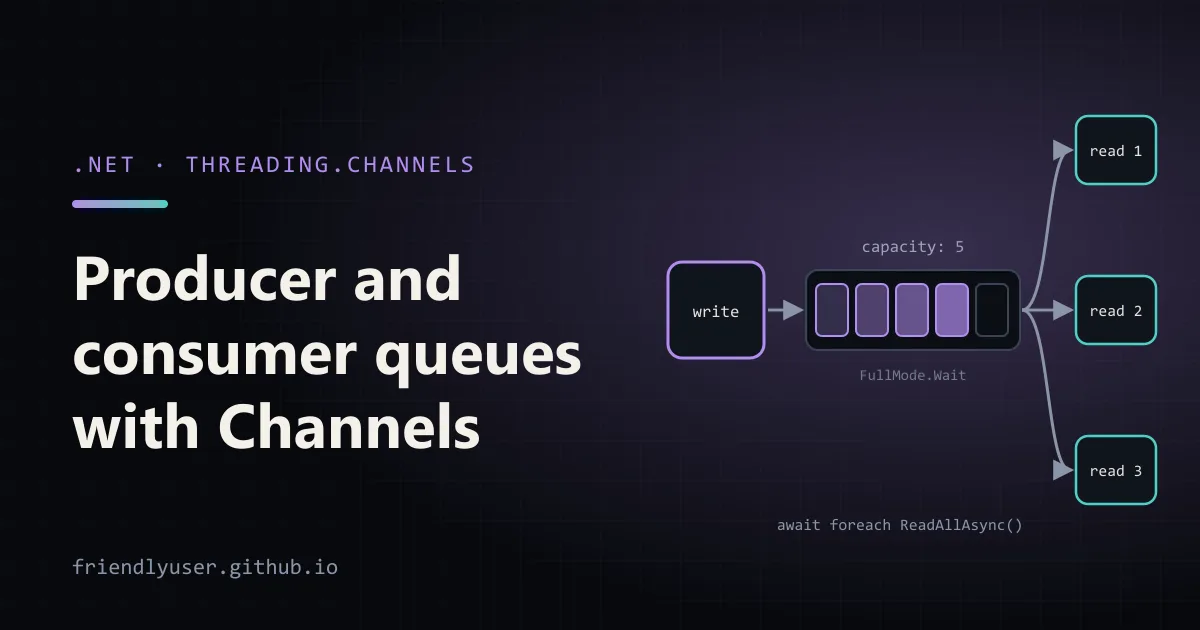
System.Threading.Channels gives you an async, thread-safe queue with a writer end and a reader end. One part of your code writes items, another part reads them, and the reader can await the next item instead of polling. It is the standard way to build an in-process producer/consumer pipeline in .NET, and it has been part of the runtime since .NET Core 3.0 (a NuGet package of the same name covers .NET Framework and .NET Standard).
This post covers bounded and unbounded channels, what each BoundedChannelFullMode does, running several consumers, completing a channel properly, and a background job queue for an ASP.NET Core app. Examples target .NET 10 and were run on .NET 9; nothing here changed between the two.
The shape of a channel
Section titled “The shape of a channel”A Channel<T> has two properties: Writer (a ChannelWriter<T>) and Reader (a ChannelReader<T>). You usually hand the writer to producers and the reader to consumers, so each side can only do its own job.
using System.Threading.Channels;
var unbounded = Channel.CreateUnbounded<string>();var bounded = Channel.CreateBounded<string>(capacity: 100);
The main methods:
| Writer | Reader |
|---|---|
TryWrite(item): writes now or returns false | TryRead(out item): reads now or returns false |
WriteAsync(item, ct): waits for space if needed | ReadAsync(ct): waits for an item |
WaitToWriteAsync(ct) | WaitToReadAsync(ct) |
Complete(exception?) / TryComplete(...) | ReadAllAsync(ct): IAsyncEnumerable<T> until completed |
Completion: a Task that finishes when the channel is drained |
Every item goes to exactly one reader. A channel is a queue, not a broadcast: if you need every subscriber to see every message, give each subscriber its own channel.
Bounded vs unbounded
Section titled “Bounded vs unbounded”An unbounded channel never refuses a write. TryWrite always succeeds (until the channel is completed) and the queue grows as long as producers outpace consumers. That’s fine when the producer is naturally limited, for example by a fixed list of files. It is a memory leak waiting to happen when the producer is the outside world, such as HTTP requests or messages from a broker.
A bounded channel has a capacity. When it is full, it applies backpressure: the producer is slowed down, or items are dropped, depending on FullMode. For anything fed by external input, start with bounded.
A runnable example: one producer, three consumers
Section titled “A runnable example: one producer, three consumers”Create a console app (dotnet new console -n ChannelsDemo) and replace Program.cs:
using System.Diagnostics;using System.Threading.Channels;
var channel = Channel.CreateBounded<int>(new BoundedChannelOptions(capacity: 5){    FullMode = BoundedChannelFullMode.Wait,    SingleWriter = true,});
var clock = Stopwatch.StartNew();
var producer = Task.Run(async () =>{    for (var i = 1; i <= 12; i++)    {        await channel.Writer.WriteAsync(i);   // waits while 5 items are queued        Console.WriteLine($"{clock.ElapsedMilliseconds,5} ms  wrote {i}");    }    channel.Writer.Complete();                // no more items: lets ReadAllAsync finish});
var consumers = Enumerable.Range(1, 3).Select(id => Task.Run(async () =>{    var handled = 0;    await foreach (var item in channel.Reader.ReadAllAsync())    {        await Task.Delay(100);                // simulate slow work        handled++;        Console.WriteLine($"{clock.ElapsedMilliseconds,5} ms  consumer {id} handled {item}");    }    return handled;})).ToArray();
await producer;var counts = await Task.WhenAll(consumers);await channel.Reader.Completion;Console.WriteLine($"done in {clock.ElapsedMilliseconds} ms, per consumer: {string.Join(", ", counts)}");
Output from one run:
4 ms wrote 1 8 ms wrote 2 8 ms wrote 3 8 ms wrote 4 8 ms wrote 5 8 ms wrote 6 8 ms wrote 7 8 ms wrote 8 112 ms consumer 3 handled 3 112 ms consumer 2 handled 2 112 ms consumer 1 handled 1 113 ms wrote 9 113 ms wrote 10 113 ms wrote 11 220 ms consumer 2 handled 6 220 ms consumer 3 handled 4 221 ms wrote 12 221 ms consumer 1 handled 5 329 ms consumer 3 handled 8 329 ms consumer 1 handled 9 329 ms consumer 2 handled 7 437 ms consumer 2 handled 12 437 ms consumer 1 handled 11 437 ms consumer 3 handled 10done in 439 ms, per consumer: 4, 4, 4Eight writes went through immediately: three items were picked up by the consumers and five filled the buffer. Write 9 then waited about 100 ms until consumers freed space. That wait is the backpressure, and the producer did nothing special to get it.
Two more things to notice. The consumers share the work without any coordination code. And items finish out of order (6 before 4), because three consumers run at once. If order matters, use one consumer, or partition items by key across several single-consumer channels.
Completing the writer
Section titled “Completing the writer”ReadAllAsync ends only when the writer is completed and the buffer is empty. Forget Complete() and the consumers wait forever, and so does Task.WhenAll. The rule I follow: whoever owns the producing loop calls Complete() in a finally, passing the exception if production failed:
try{ await foreach (var line in ReadLinesAsync(path, ct)) await channel.Writer.WriteAsync(line, ct); channel.Writer.Complete();}catch (Exception ex){ channel.Writer.Complete(ex); // readers see this exception throw;}When the writer completes with an exception, readers still get the items already in the buffer. After that, ReadAllAsync rethrows the exception itself, ReadAsync throws a ChannelClosedException with it as InnerException, and Reader.Completion faults with it. Calling Complete a second time throws ChannelClosedException. With several producers, use TryComplete, or better, have one coordinator await all producers and complete once.
What each BoundedChannelFullMode does
Section titled “What each BoundedChannelFullMode does”FullMode decides what happens when a bounded channel is full. This snippet writes 1 to 5 into a channel of capacity 3 with each mode, using TryWrite, and records what the itemDropped callback receives:
using System.Threading.Channels;
foreach (var mode in Enum.GetValues<BoundedChannelFullMode>()){    var dropped = new List<int>();    var channel = Channel.CreateBounded<int>(        new BoundedChannelOptions(3) { FullMode = mode },        itemDropped: item => dropped.Add(item));
    var accepted = new List<bool>();    for (var i = 1; i <= 5; i++)        accepted.Add(channel.Writer.TryWrite(i));    channel.Writer.Complete();
    var left = new List<int>();    await foreach (var item in channel.Reader.ReadAllAsync())        left.Add(item);
    Console.WriteLine($"{mode,-11} TryWrite: [{string.Join(", ", accepted)}]  " +                      $"in channel: [{string.Join(", ", left)}]  dropped: [{string.Join(", ", dropped)}]");}
Wait TryWrite: [True, True, True, False, False] in channel: [1, 2, 3] dropped: []DropNewest TryWrite: [True, True, True, True, True] in channel: [1, 2, 5] dropped: [3, 4]DropOldest TryWrite: [True, True, True, True, True] in channel: [3, 4, 5] dropped: [1, 2]DropWrite TryWrite: [True, True, True, True, True] in channel: [1, 2, 3] dropped: [4, 5]Wait(the default):WriteAsyncwaits for space andTryWritereturnsfalse. Nothing is lost; the producer slows down or gets a clear “no”.DropNewest: makes room by removing the most recently queued item, then accepts the new one.DropOldest: removes the item at the head of the queue. Good for “latest value wins” data such as sensor readings or progress updates, where stale items are worthless.DropWrite: keeps the queue as it is and throws the new item away.
The three drop modes report success from TryWrite even when something was dropped, so the producer can’t tell. The itemDropped callback is the only place to log or count drops. Without it, data disappears silently.
Options worth setting
Section titled “Options worth setting”SingleWriter/SingleReader: promises that only one task writes or reads at a time. The channel can then use a cheaper implementation. Only set them if they are true; the channel doesn’t check.AllowSynchronousContinuations: lets a writer run a waiting reader’s continuation inline. It can reduce latency, but the producer then executes consumer code on its own thread. Leave itfalseunless you have measured a reason.Channel.CreateUnboundedPrioritized(.NET 9+): an unbounded channel that hands out items in comparer order rather than FIFO. WithComparer = Comparer<int>.Create((a, b) => b.CompareTo(a)), writing 3, 9, 1, 5 reads back as 9, 5, 3, 1.
A background job queue for a web app
Section titled “A background job queue for a web app”The common real use: an HTTP endpoint accepts a request, puts the slow work on a queue, and returns 202 Accepted right away, while a hosted service works through the queue. Create a project with dotnet new web -n ReportApi and replace Program.cs:
using System.Threading.Channels;
var builder = WebApplication.CreateBuilder(args);builder.Services.AddSingleton<ReportQueue>();builder.Services.AddHostedService<ReportWorker>();
var app = builder.Build();
app.MapPost("/reports", (ReportRequest request, ReportQueue queue) =>{    var job = new ReportJob(Guid.NewGuid(), request.CustomerId);    if (!queue.TryEnqueue(job))    {        // Queue is full: tell the client to back off instead of piling up work.        return Results.Problem("Report queue is full, try again shortly.",            statusCode: StatusCodes.Status503ServiceUnavailable);    }    return Results.Accepted($"/reports/{job.Id}", new { job.Id });});
app.Run();
public record ReportRequest(int CustomerId);public record ReportJob(Guid Id, int CustomerId);
public sealed class ReportQueue{    private readonly Channel<ReportJob> _channel =        Channel.CreateBounded<ReportJob>(new BoundedChannelOptions(capacity: 100)        {            FullMode = BoundedChannelFullMode.Wait, // TryWrite returns false when full            SingleReader = false,            SingleWriter = false,        });
    public bool TryEnqueue(ReportJob job) => _channel.Writer.TryWrite(job);
    public IAsyncEnumerable<ReportJob> ReadAllAsync(CancellationToken ct) =>        _channel.Reader.ReadAllAsync(ct);}
public sealed class ReportWorker(ReportQueue queue, ILogger<ReportWorker> logger) : BackgroundService{    private const int Workers = 4;
    protected override Task ExecuteAsync(CancellationToken stoppingToken) =>        Task.WhenAll(Enumerable.Range(1, Workers).Select(id => ConsumeAsync(id, stoppingToken)));
    private async Task ConsumeAsync(int workerId, CancellationToken stoppingToken)    {        try        {            await foreach (var job in queue.ReadAllAsync(stoppingToken))            {                try                {                    await Task.Delay(TimeSpan.FromSeconds(2), stoppingToken); // build the report                    logger.LogInformation("Worker {Worker} finished report {Id} for customer {Customer}",                        workerId, job.Id, job.CustomerId);                }                catch (Exception ex) when (ex is not OperationCanceledException)                {                    logger.LogError(ex, "Report {Id} failed", job.Id);                }            }        }        catch (OperationCanceledException) when (stoppingToken.IsCancellationRequested)        {            // Host is shutting down; jobs still in the channel are dropped.        }    }}
Run it with dotnet run --urls http://localhost:5199 and post a job:
curl -i -X POST localhost:5199/reports -H "content-type: application/json" -d '{"customerId": 1}'HTTP/1.1 202 AcceptedLocation: /reports/e5cd2b51-94e5-4b37-93c2-09e11383aada
{"id":"e5cd2b51-94e5-4b37-93c2-09e11383aada"}Two seconds later the log shows Worker 1 finished report e5cd2b51-... for customer 1. When I fired 150 concurrent requests at it, 104 got 202 (100 queued plus 4 already picked up by the workers) and 46 got a 503 with an application/problem+json body. That is the point of the bounded channel: under load the API says “not now” in a few microseconds instead of queueing work it can’t finish.
A few design choices in that code:
- The queue class hides the channel. Endpoints can only enqueue and the worker can only read. Swapping in a durable queue later means changing one class.
TryWrite, notWriteAsync, in the endpoint.WriteAsyncwithFullMode.Waitwould hold the HTTP request open until space frees up. For a request handler, an immediate 503 (or 429) is usually the better answer.- Several consumers in one
BackgroundService.Task.WhenAllover four read loops gives four-way parallelism. The per-jobtry/catchkeeps one bad job from ending a loop; an escaped exception would stop the hosted service, and by default the whole app. - Scoped services. If a job needs a
DbContext, injectIServiceScopeFactoryinto the worker and create a scope per job. The worker is a singleton.
When not to use a channel
Section titled “When not to use a channel”A channel lives in memory. On shutdown the cancellation token stops the readers, and whatever is still queued is gone. The same happens on a crash or deploy. If losing a queued job is unacceptable, write the job to durable storage first (a database table, Azure Queue Storage, RabbitMQ, SQS) and treat the channel at most as an in-process buffer in front of that.
Channels also don’t spread work across machines: with three replicas you have three independent queues. And if all you need is “run these 50 tasks with at most 8 at a time”, Parallel.ForEachAsync with MaxDegreeOfParallelism is less code.
Further reading
Section titled “Further reading”© 2026 David Li · Home · Blog · RSS ·Classic site · Built with Astro, Starlight and three.js · Logos:Font Awesome Free (CC BY 4.0)