Structural pattern matching in Python: matching dicts, sequences and classes
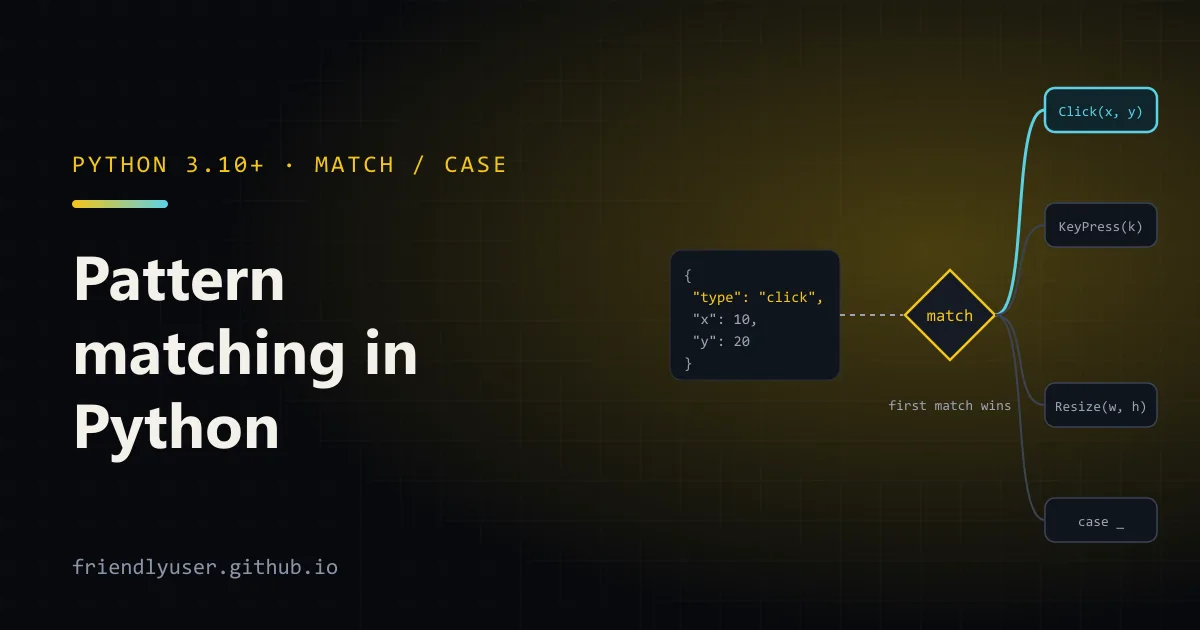
Python’s match statement (PEP 634, added in Python 3.10) checks a value against a list of patterns and runs the first case that fits. It is not a switch statement: a pattern can check the shape of a value and pull pieces out of it at the same time. That makes it a good fit for parsed JSON, tokenised commands and small class hierarchies.
This post works through those three cases, then covers guards, the capture-vs-constant mistake everyone makes once, and the places where plain if/elif is still clearer. The examples were run on Python 3.12 and work on any version from 3.10 up.
Matching parsed JSON with mapping patterns
Section titled “Matching parsed JSON with mapping patterns”Say a front end sends events as JSON lines, and you want to turn each one into a typed object. Without match, this is a stack of isinstance checks, .get() calls and key lookups. With it, each case describes the shape you expect:
import jsonfrom dataclasses import dataclass

@dataclassclass Click:    x: int    y: int    button: str = "left"

@dataclassclass KeyPress:    key: str    ctrl: bool = False

@dataclassclass Resize:    width: int    height: int

def parse_event(raw: str) -> Click | KeyPress | Resize:    match json.loads(raw):        case {"type": "click", "x": int(x), "y": int(y), **rest}:            return Click(x, y, rest.get("button", "left"))        case {"type": "key", "key": str(key), "modifiers": [*mods]}:            return KeyPress(key, ctrl="ctrl" in mods)        case {"type": "key", "key": str(key)}:            return KeyPress(key)        case {"type": "resize", "size": [int(w), int(h)]}:            return Resize(w, h)        case {"type": str(kind)}:            raise ValueError(f"unknown event type {kind!r}")        case other:            raise ValueError(f"not an event: {other!r}")
There are several kinds of pattern packed into that function:
- Mapping patterns (
{"type": "click", ...}) match any mapping that has those keys. Extra keys are ignored, so{"type": "click", "x": 1, "y": 2, "ts": 99}still matches. Use**restif you want the leftovers. - Literal patterns (
"click") compare with==. - Class patterns with a positional capture (
int(x)) checkisinstance(value, int)and bind the value tox. For the built-in types (int,str,float,list,dictand a few others) the single positional argument matches the whole value. - Sequence patterns (
[int(w), int(h)],[*mods]) match lists and tuples of the right length.*modscollects any number of items. - A bare name (
other) always matches and binds the value. It works as a catch-all with a name attached;_is the catch-all that binds nothing.
Order matters. The "key" case with "modifiers" comes before the one without, because the second would also match an event that has modifiers.
Matching command tuples with sequence patterns
Section titled “Matching command tuples with sequence patterns”The other classic use is a small command interpreter. Split the input into words and match on the resulting list:
def run(line: str) -> str: match line.split(): case []: return "nothing to do" case ["quit" | "exit"]: return "bye" case ["go", ("north" | "south" | "east" | "west") as direction]: return f"walking {direction}" case ["go", _]: return "you can't go that way" case ["drop", first, *others]: return f"dropped {', '.join([first, *others])}" case ["say", *words] if words: return " ".join(words).upper() case [verb, *_]: return f"unknown command {verb!r}"| is an OR pattern, and as binds whatever matched to a name. ["drop", first, *others] requires at least one object after drop. The say case has a guard, covered below.
One rule that catches people out: a str is a sequence, but sequence patterns deliberately do not match strings, bytes or bytearrays. match "abc": case [*chars]: does not match. That is why the example splits the line first.
Matching classes with keyword and positional patterns
Section titled “Matching classes with keyword and positional patterns”Once parse_event has produced objects, matching on them reads naturally:
def describe(event: Click | KeyPress | Resize) -> str: match event: case Click(x=0, y=0): return "click at the origin" case Click(button="right") as c: return f"context menu at {c.x},{c.y}" case Click(x=x, y=y): return f"click at {x},{y}" case KeyPress(key="s", ctrl=True): return "save" case KeyPress(key=k) if len(k) == 1: return f"typed {k!r}" case KeyPress(key=k): return f"special key {k}" case Resize(width=w, height=h) if w < 400 or h < 300: return f"resize to {w}x{h} (too small, using mobile layout)" case Resize(width=w, height=h): return f"resize to {w}x{h}"Click(x=0, y=0) means “an instance of Click whose x attribute equals 0 and whose y attribute equals 0”. Keyword patterns work on any class; they are attribute lookups.
Positional patterns and __match_args__
Section titled “Positional patterns and __match_args__”Positional patterns like Point(0, y) need the class to say which attribute each position refers to. That is what __match_args__ is for. Dataclasses (and NamedTuple) generate it from the field order, so Click(10, 20) would work as a pattern above. On a plain class you write it yourself:
class Point:    __match_args__ = ("x", "y")
    def __init__(self, x: float, y: float) -> None:        self.x = x        self.y = y

def where(p: Point) -> str:    match p:        case Point(0, 0):            return "origin"        case Point(0, y):            return f"on the y axis at {y}"        case Point(x, 0):            return f"on the x axis at {x}"        case Point(x, y) if x == y:            return "on the diagonal"        case Point():            return "somewhere else"
Without __match_args__, Point(0, 0) as a pattern raises TypeError: Point() accepts 0 positional sub-patterns (2 given) at match time. Point() with no arguments is just an isinstance check.
I’d use keyword patterns for anything with more than two fields. Click(x=0, y=0) still means the same thing if someone reorders the dataclass fields; Click(0, 0) might not.
Running it end to end
Section titled “Running it end to end”Save the event code (dataclasses, parse_event and describe) as events.py and add a driver:
lines = [    '{"type": "click", "x": 10, "y": 20}',    '{"type": "click", "x": 0, "y": 0}',    '{"type": "click", "x": 5, "y": 7, "button": "right"}',    '{"type": "key", "key": "s", "modifiers": ["ctrl"]}',    '{"type": "key", "key": "q"}',    '{"type": "key", "key": "Escape"}',    '{"type": "resize", "size": [320, 640]}',    '{"type": "resize", "size": [1280, 800]}',    '{"type": "scroll", "dy": 3}',    '[1, 2, 3]',]
for line in lines:    try:        print(describe(parse_event(line)))    except ValueError as e:        print("error:", e)
click at 10,20click at the origincontext menu at 5,7savetyped 'q'special key Escaperesize to 320x640 (too small, using mobile layout)resize to 1280x800error: unknown event type 'scroll'error: not an event: [1, 2, 3]Guards
Section titled “Guards”A guard is an if after the pattern. The pattern is tried first, its names are bound, and then the guard runs. If the guard is false, matching moves on to the next case. In run, case ["say", *words] if words: lets a bare say fall through to the “unknown command” branch.
Guards are where conditions that patterns cannot express belong: comparisons (w < 400), relationships between captured values (x == y), or calls (len(k) == 1). Keep them short. If a guard grows into three lines of logic, the case should probably call a function instead.
The capture-vs-constant pitfall
Section titled “The capture-vs-constant pitfall”This is the mistake that makes people distrust match. A bare name in a pattern is always a capture, never a comparison:
from enum import Enum

class Color(Enum):    RED = "red"    GREEN = "green"

RED = Color.RED

def name_of(c):    match c:        case Color.GREEN:            return "green"        case RED:  # binds c to a new local called RED; matches anything            return "red"

print(name_of("banana"))  # prints: red
case RED: does not compare c with the module-level RED. It assigns c to a new name RED and always succeeds. If you put a case like that anywhere but last, Python refuses to compile the function:
SyntaxError: name capture 'RED' makes remaining patterns unreachableWhen it is the last case, as above, there is no error, and you get a silent catch-all instead.
The rule: constants in patterns must be dotted names (Color.RED, http.HTTPStatus.NOT_FOUND, settings.MODE) or literals. Dotted names are looked up and compared with ==. If your constant is a bare module-level name, either reference it through its module or enum, or use a guard:
match c: case Color.RED: return "red" case Color.GREEN: return "green" case _: return "not a colour"A quick way to catch this in review: any case whose pattern is a single uppercase bare name is almost certainly a bug.
When if/elif is clearer
Section titled “When if/elif is clearer”match earns its place when you are checking the shape of data and pulling values out of it. It adds little when you are not:
- Comparing one value with a few constants.
if status == 200: ... elif status == 404: ...is as short as thematchversion, and a dict lookup is often shorter still. - Range checks and arithmetic.
case n if 0 <= n < 10:is just anifwith extra syntax. - Conditions on several unrelated variables.
matchtakes one subject. Matching on a tuple (match (a, b):) works, but past two items it stops being readable. - Validating untrusted input. Patterns can check types and shape, but they produce no error messages about which field was wrong. For API payloads, a validation library such as Pydantic tells the caller what failed. Use
matchafter validation, on the typed objects.
Also remember there is no exhaustiveness check at runtime. If no case matches, match does nothing and execution continues after the block, so a function like describe silently returns None for an unexpected type. Add a final case _: that raises. On Python 3.11+, calling typing.assert_never(event) in that branch also gets a type checker such as mypy or Pyright to tell you when a new event class is not handled.
Further reading
Section titled “Further reading”© 2026 David Li · Home · Blog · RSS ·Classic site · Built with Astro, Starlight and three.js · Logos:Font Awesome Free (CC BY 4.0)